GPU Thermal Paste Pump-Out: Why Temps Creep Back Up in Hong Kong
Introduction
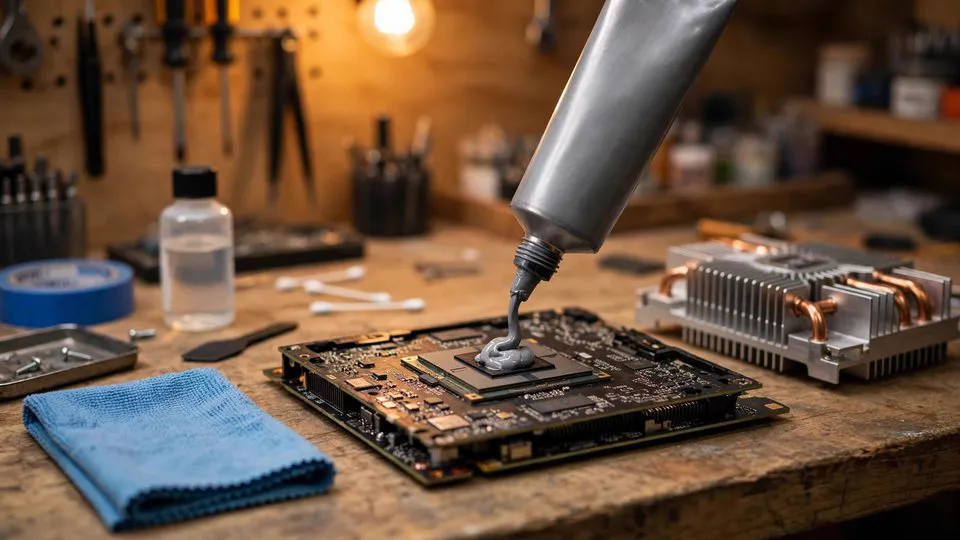
You repasted your GPU three weeks ago. Temperatures dropped 15°C, fans spun quieter, and you thought you'd solved it. Then the creeping starts: 2°C hotter this week, 4°C the next. By week six, you're back where you started, wondering if you imagined the improvement. You didn't. What you're seeing is thermal paste pump-out, and in Hong Kong's climate, it's one of the most common reasons a repaste job fails early. I've seen it hundreds of times on RTX 3080s, 4080s, and 4090s, especially during the humid summer months when ambient temperatures sit above 30°C and air-conditioning cycles stress the card through repeated thermal expansion.
重點摘要
GPU thermal paste pump-out causes temperatures to rise 5–15°C within 2–8 weeks of a repaste. It happens when thermal cycling squeezes paste out from under the die. Fixes include using high-viscosity paste, applying a slightly thicker layer, or switching to a phase-change pad. Repair cost: HK$400–$780 including inspection.
What Is Thermal Paste Pump-Out and Why Does It Happen?
Thermal paste pump-out is the gradual displacement of thermal compound from between the GPU die and heatsink due to repeated thermal expansion and contraction. As the GPU heats up during gaming, the die and heatsink expand at different rates; when it cools, they contract. This pumping action physically squeezes the paste outward over hundreds of cycles, leaving the center of the die with thinner and thinner coverage until contact pressure alone is no longer enough to transfer heat efficiently. In my experience, this is the number one reason a repaste looks successful for two weeks and then quietly fails. The problem is worse on cards with high thermal density, like the RTX 4090's AD102 die, where heat concentrates in a smaller area and the expansion forces are more intense.
Why Is Pump-Out Worse in Hong Kong?
Pump-out is more severe in Hong Kong because the combination of high ambient temperatures, humidity, and frequent air-conditioning cycling accelerates thermal expansion and contraction. When you move from a 32°C outdoor environment into a 22°C air-conditioned room, the GPU doesn't instantly equalize; it goes through repeated heating and cooling cycles as the room temperature stabilizes. Many GPUs that come back with rising temperatures within three months of a repaste show classic pump-out patterns. The humidity also plays a role: moisture absorption in some paste formulations can soften the compound, making it easier to displace.
How Can You Tell If Your GPU Has Pump-Out?
The tell-tale sign of pump-out is a temperature pattern where the GPU core runs significantly hotter than the hotspot, often with a delta exceeding 15–20°C under load, and the gap widens over time. You'll also notice that the temperature rise is gradual and consistent, not sudden. Unlike a mounting pressure issue, which causes immediate high temperatures, pump-out develops slowly. Another clue: if you remove the cooler and see a dry, crusty center on the die with paste pushed to the perimeter, that's pump-out. I always ask customers to note their temperatures right after a repaste and then again two weeks later; if the delta has grown by more than 5°C, pump-out is likely.
What Are the Best Fixes for Pump-Out?
There are three practical fixes for pump-out, each with trade-offs. The first is switching to a high-viscosity thermal paste designed for high-pressure applications, such as Thermal Grizzly Kryonaut Extreme or Honeywell PTM7950 phase-change material. The second is applying a slightly thicker layer than you would for a standard repaste; a thin layer is more susceptible to pump-out because there's less material to redistribute. The third is using a phase-change pad like Honeywell PTM7950, which melts at operating temperature and flows to fill microscopic gaps, then solidifies when cool. In my experience, PTM7950 is the most durable solution for high-power cards in Hong Kong, often lasting 12–18 months without significant pump-out.
| Fix | Durability | Cost | Best For |
|---|---|---|---|
| High-viscosity paste | 3–6 months | HK$80–$150 | Budget-conscious users |
| Thicker paste layer | 4–8 months | HK$80–$150 | DIYers who repaste often |
| Phase-change pad (PTM7950) | 12–18 months | HK$200–$350 | High-power cards, long-term reliability |
How Does Mounting Pressure Affect Pump-Out?
Insufficient mounting pressure accelerates pump-out because the paste has less resistance to being squeezed out. I've seen many cards where the cooler screws were not tightened evenly or to the correct torque, allowing the heatsink to lift slightly during thermal cycling. Always tighten screws in a diagonal pattern, gradually increasing torque, and check the manufacturer's recommended torque if available. On some cards, adding a thin copper shim or using slightly thicker thermal pads on the VRAM can increase overall mounting pressure on the die, reducing pump-out. However, be careful not to over-tighten, as this can crack the die or damage the PCB.
Can You Prevent Pump-Out Without Repasting?
You can reduce the risk of pump-out by keeping GPU temperatures stable and avoiding extreme thermal cycling. Set a custom fan curve that keeps the card below 70°C under load, and avoid sudden temperature swings by not running the GPU at full load immediately after a cold start. In Hong Kong, using an air-conditioned room with a stable temperature helps, but the cycling between outdoor heat and indoor cooling is hard to avoid entirely. Some users undervolt their GPUs to reduce power draw and heat output, which slows the pump-out process. However, if pump-out has already occurred, repasting is the only real fix.
When Should You Seek Professional Help?
If you've repasted your GPU and temperatures are creeping back up within weeks, or if you're uncomfortable disassembling a high-value card like an RTX 4090, it's worth getting a professional inspection. We use FLIR thermal imaging to map temperature distribution across the die and VRAM, which quickly identifies pump-out and any other cooling issues. We also check mounting pressure and recommend the right paste or pad for your specific card. Our repair service for pump-out and related cooling issues typically costs HK$400–$780, including cleaning, repasting with premium materials, and thermal testing. You can WhatsApp us at +852 6558 6806 to book an inspection.
Frequently Asked Questions
Q: How long does a thermal paste repaste last before pump-out occurs?
A: With standard paste, pump-out can start within 2–8 weeks in Hong Kong's climate. High-viscosity paste or phase-change pads can last 12–18 months.
Q: Can pump-out cause permanent damage to the GPU?
A: Not directly, but prolonged high temperatures can accelerate wear on VRAM and VRM components. It's best to address it early.
Q: Is liquid metal a good solution for pump-out?
A: Liquid metal is highly conductive and risky for beginners; it can short components if it spills. We don't recommend it for most users.
Q: How can I check if my GPU has pump-out without disassembling it?
A: Monitor the core-to-hotspot temperature delta under load. If the delta exceeds 15–20°C and grows over time, pump-out is likely.
Q: Do all GPUs suffer from pump-out?
A: High-power cards with high thermal density, like the RTX 4090, are more susceptible. Lower-power cards may never show significant pump-out.
Conclusion
Pump-out is a frustrating but predictable problem, especially in Hong Kong's demanding climate. If you've repasted your GPU and temperatures are climbing again, don't ignore it. A professional inspection with thermal imaging can confirm the issue and recommend a durable fix. We can help you choose the right thermal interface material for your card. Whether you need a simple repaste or a more thorough cooling system check, we're here to help. Contact us via WhatsApp at +852 6558 6806 or visit our workshop in Sha Tin for a consultation.