GPU Repair Hong Kong: 22GB VRAM Upgrade Reality Check
Introduction
I've been repairing graphics cards in Hong Kong for over 15 years, and lately, everyone's been asking about VRAM upgrades. It started with that Japanese shop offering to double an RTX 2080 Ti to 22GB for about HK$2,250. Now, with AI models getting bigger and games hungrier, people are wondering: can I just add more memory to my existing card?
Here's the thing: it's not that simple. In this article, I'll break down what a VRAM upgrade actually involves, the real costs in Hong Kong, the risks, and whether it's a smart move for you. I'll also share some of my own experiences from the workbench.
重點摘要
VRAM upgrades in Hong Kong typically cost HK$1,500–HK$3,000, but success depends on your GPU model and BIOS support. For most users, it's not cost-effective compared to buying a newer card, and carries risks like instability and voided warranty.
What Is a VRAM Upgrade and How Does It Work?
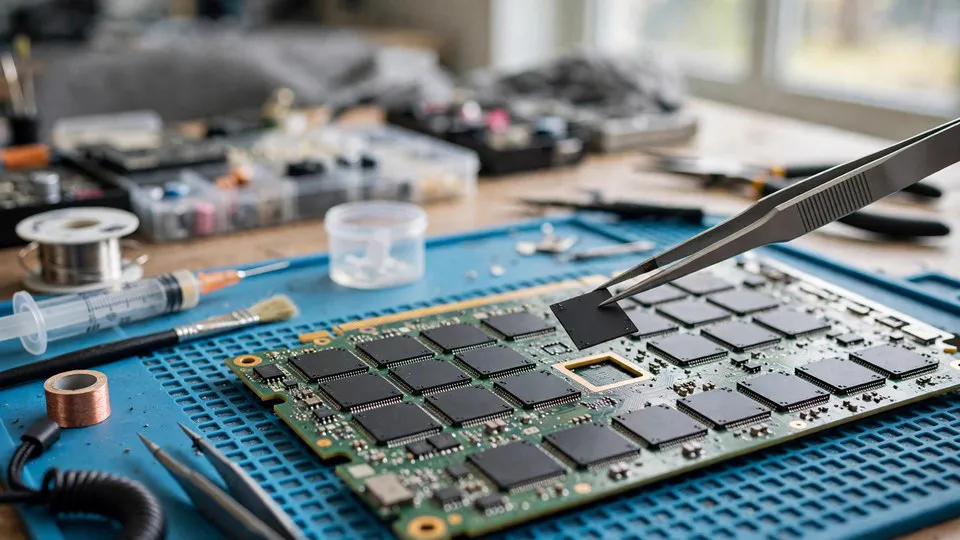
A VRAM upgrade involves physically replacing the memory chips on your graphics card with higher-capacity ones. This is a delicate process that requires desoldering the old chips and soldering new BGA memory modules, then modifying the card's BIOS to recognize the new memory configuration.
In my experience, this is chip-level repair at its most extreme. You need a rework station, precise temperature control, and a steady hand. Not every card supports it—the GPU's memory controller must be able to address the larger capacity, and the BIOS must be modified accordingly. I've seen successful upgrades on cards like the RTX 2080 Ti (to 22GB) and some older Quadros, but it's far from a universal solution.
How Much Does a VRAM Upgrade Cost in Hong Kong?
A VRAM upgrade in Hong Kong costs between HK$1,500 and HK$3,000, depending on the card and the number of memory chips to be replaced. This price includes labor, the new memory chips, and BIOS modification. However, it does not include the risk of damaging the card during the process.
I've seen shops in Sham Shui Po quoting around HK$2,000 for an RTX 2080 Ti upgrade, similar to the Japanese shop in the news. But remember, that's just the service fee. If something goes wrong, you could end up with a dead card and no recourse. At ComputerKing, we always advise customers to weigh the cost against the value of the card. For a card worth HK$3,000, spending HK$2,000 on an upgrade that might fail is a gamble.
Is a VRAM Upgrade Worth It for AI or Gaming?
A VRAM upgrade is only worth it if you have a specific need for more memory and your card is otherwise powerful enough. For AI workloads, having 22GB on an RTX 2080 Ti can let you run larger language models locally, which is why some enthusiasts consider it. But for gaming, the benefits are minimal because games are designed around the VRAM of the GPU's original spec.
In my experience, most gamers are better off buying a newer card with more VRAM natively. For example, an RTX 4060 Ti 16GB costs around HK$3,500 and comes with a warranty. Upgrading an old card to 22GB might sound cool, but you're still limited by the GPU's compute power. For AI researchers on a budget, though, it could be a cheaper way to get more VRAM than buying a used RTX 3090.
What Are the Risks of a VRAM Upgrade?
A VRAM upgrade carries risks including permanent damage to the card, instability due to BIOS incompatibilities, and voiding any existing warranty. The process involves high heat and precision soldering, and if not done correctly, it can kill the GPU core or create short circuits.
I've had customers bring in cards that were "upgraded" elsewhere and now artifact or won't boot. Often, the memory chips weren't properly reballed, or the BIOS mod was incorrect. In one case, a customer spent HK$2,500 on an upgrade that lasted two weeks before the card died. We couldn't salvage it. So, if you're considering this, make sure the technician has a proven track record and offers some kind of guarantee.
How Does ComputerKing Handle VRAM Upgrades?
At ComputerKing, we approach VRAM upgrades with caution. We first assess whether the card is a good candidate—checking the GPU model, PCB layout, and BIOS support. We then quote a price that includes a 90-day warranty on the upgrade work. If we don't think it's worth it, we'll tell you straight.
We've successfully upgraded several RTX 2080 Ti cards to 22GB for AI enthusiasts in Hong Kong. Our process involves using high-quality memory chips, precise BGA rework, and custom BIOS flashing. We also stress-test the card for 48 hours to ensure stability. If you're interested, you can WhatsApp us at 2186 8010 to discuss your specific card.
VRAM Upgrade vs Buying a New GPU: A Comparison
| Factor | VRAM Upgrade | New GPU |
|---|---|---|
| Cost | HK$1,500–HK$3,000 | HK$3,000–HK$10,000+ |
| Warranty | Usually 90 days on work | 1–3 years manufacturer |
| Performance gain | Only VRAM capacity; compute unchanged | Better compute, newer features |
| Risk | High (damage, instability) | Low |
| Best for | AI hobbyists with specific cards | Gamers, professionals needing reliability |
What Should You Do Before Considering a VRAM Upgrade?
Before considering a VRAM upgrade, you should first determine if your workload is actually VRAM-limited. Use monitoring tools like GPU-Z or HWiNFO to check VRAM usage. If you're constantly hitting the limit, an upgrade might help. But if your GPU core is maxed out, more VRAM won't solve the problem.
Also, consider the age of your card. Upgrading an older card might not be worth it if the core is outdated. And check if your card's BIOS can be modified—some manufacturers lock it down. At ComputerKing, we offer free consultations to help you decide. Just bring your card in or call us.
Frequently Asked Questions
Q: Can any graphics card be upgraded to more VRAM?
A: No, only certain models with compatible memory controllers and modifiable BIOS can be upgraded. Common candidates include the RTX 2080 Ti and some professional cards.
Q: Will a VRAM upgrade improve gaming performance?
A: Generally no. Games are optimized for the original VRAM, and adding more won't increase frame rates unless you're running out of VRAM, which is rare on cards with 8GB or more.
Q: How long does a VRAM upgrade take?
A: Typically 2–3 working days, including testing. At ComputerKing, we take 48 hours for stress testing to ensure stability.
Q: Is it safe to upgrade VRAM on a card that's still under warranty?
A: No, it will void the manufacturer's warranty. Only consider it for out-of-warranty cards.
Q: Can you upgrade VRAM on a laptop GPU?
A: In most cases, no. Laptop GPUs have soldered memory and limited BIOS options. It's not practical.
Conclusion
VRAM upgrades are a niche service for enthusiasts who need more memory for AI workloads and have a compatible card. For most people in Hong Kong, buying a newer GPU is a safer and more cost-effective choice. But if you're set on upgrading, make sure you go to a reputable technician who understands the risks.
At ComputerKing, we've been repairing and upgrading graphics cards for over 15 years. If you have questions or want to explore a VRAM upgrade, feel free to reach out. We're happy to share our honest opinion.
*This article was written by the ComputerKing senior repair team, with over 15 years of computer repair experience in Hong Kong and 10,000+ cases handled. Last updated: 2026-11-02*