LCD Monitor Still Shows a Faint Ghost of the Old Picture? LCD Image Retention, OLED Burn-In & Rendering Ghosting Diagnosis Guide
Key Takeaways
On an LCD, a faint ghost of a previous picture is usually charge left behind in the liquid crystal, and it fades when the pixels are driven with varied content. A ghost that never changes points elsewhere. The content-swap test and the screenshot test separate a panel effect from a rendering fault.
What Counts as a "Ghost of the Old Picture"
Start by pinning down exactly what is happening, because several different monitor effects get described with the same words, and each one points in a different direction.
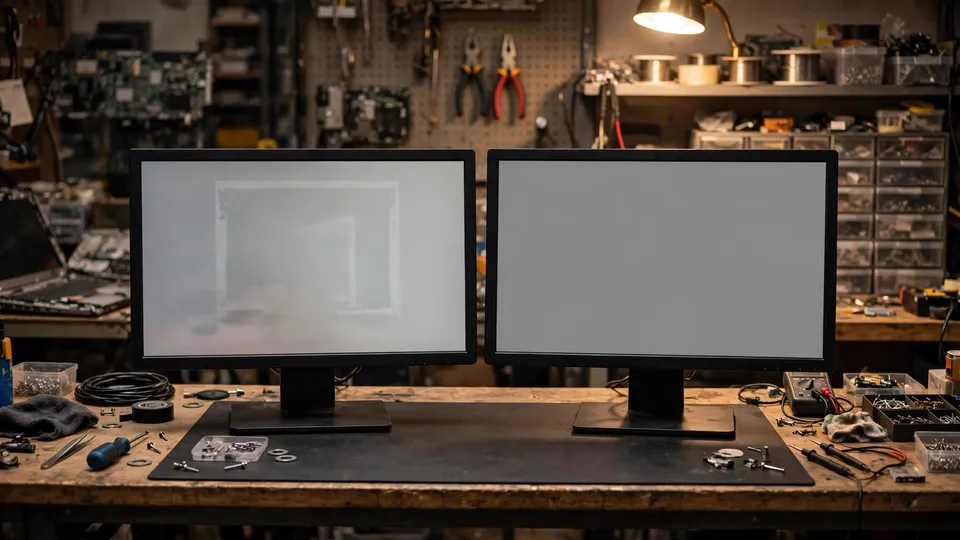
The symptom covered here is narrow: on an LCD monitor, after switching to a different picture or a plain solid-colour background, the faint outline of the previous still picture is still visible — a taskbar, a channel logo, a game interface bar, or a spreadsheet's fixed gridlines, sitting on the new picture like a watermark that should not be there. It may go unnoticed while a game is running or a busy picture is on screen, and it shows up most clearly on a plain grey, plain white, or pale solid-colour background. The outline matches the shape of the previous still picture, its edges are soft, and it is not a single point and not a single line.
Six boundaries need to be clear before going any further:
- The ghost is fixed in one place and one shape, and it never fades no matter what content is shown. That is uneven ageing of an OLED panel, often called burn-in. This guide covers an LCD panel, where the ghost fades as varied content is shown and time passes.
- The ghost only appears behind a moving object and disappears the moment the movement stops. That is overdrive overshoot, sometimes called inverse ghosting, or a rendering ghost from upscaling. The case here is a ghost that stays on the new still picture after the picture has changed.
- The mark is a single fixed point, the same on every picture. That is a stuck or dead pixel. The case here is the outline of a whole previous picture, not a single point.
- The mark sits at the edges or corners, is visible mainly on dark pictures, and has nothing to do with the previous content. That is backlight bleed or glow. The case here is a ghost whose shape matches the previous content, wherever it appears on the screen.
- The whole picture pulses in brightness, and the pulsing is worse at low brightness. That is dimming flicker. The case here is a still, faint ghost, not flicker.
- The picture flickers or jumps while it is still, and the flickering stops when things move. That is a laptop's built-in panel refreshing itself to save power. The case here is a ghost left behind after a picture change, not flickering while a picture is still.
If the symptom matches the narrow definition — the shape of a previous still picture lingering faintly on the new picture, clearest on a plain background — the steps below apply.
The Mechanism: LCD Retention Is a Charge Effect, Not Ageing
An LCD panel does not produce its own light. It relies on a backlight plus liquid crystal acting as a shutter to control the light. Each pixel's liquid crystal twists under an applied voltage, controlling how much backlight passes through, and that is what forms the picture. Change the voltage and the liquid crystal follows, and the picture follows with it.
When the same still picture stays on screen for a long time, the same group of pixels is held under the same set of voltages. Charge slowly accumulates inside the liquid crystal layer, and the leftover direct-current bias leaves some liquid crystal slightly twisted even after the voltage has changed, so it cannot fully return to its original position. The result is that the picture has changed, but the outline of the old picture is still faintly visible on the new one. This is a temporary effect of a charge state that has not fully recovered. It is not pixel damage, and it is not light-source ageing.
Recovery follows directly from the mechanism: switch to varied content, so different voltages take turns driving the same group of pixels, and the leftover charge slowly disperses and the ghost grows fainter until it disappears. Switching the monitor fully off and leaving it for a while also gives the charge time to disperse. That behaviour is itself a diagnostic method: a ghost that fades is temporary retention; a ghost that never changes in any way is worth suspecting of belonging to a different layer.
A few points of direction are worth stating, as directions only, because the actual figures vary by model and by use, and no universal figures exist:
- The longer a still picture stays, the more leftover charge accumulates and the more visible the ghost becomes. A short stay on one picture does not produce an obvious ghost straight away; what really matters is the long-term pattern — how large a share of total use is made up of static content.
- When the liquid crystal is cold it responds more slowly, and retention can be more visible and slower to disperse. That is a direction only, not a claim that cold conditions always produce a ghost.
- Panel technology makes a difference. Published material notes that in-plane switching (IPS) panels are more prone to temporary retention, for reasons connected with the in-plane electrode structure and the charge behaviour of the liquid crystal layer, while vertical alignment (VA) and twisted nematic (TN) panels are relatively less prone. This can only be understood as a direction, not as a claim that one type of panel always shows a ghost or another never does. The actual behaviour has to be judged on what is observed, and the diagnosis does not need panel type to reach a conclusion.
This mechanism is entirely different from OLED burn-in. Each OLED pixel is itself a light source, and its light output falls as its accumulated use grows; burn-in is some pixels ageing faster than their neighbours, which is uneven ageing — permanent, fixed, and never fading. LCD pixels do not emit light, so there is no light-output ageing to speak of, and LCD retention is not ageing at all. It is a temporary charge effect. Carrying the OLED burn-in logic across to an LCD is a mistake, and treating LCD retention as burn-in only makes a user worry needlessly that the panel is ageing beyond saving. The two need to be kept on separate diagnostic paths, because the cause layer is different and the conclusions cannot be swapped.
A Step-by-Step Diagnosis
Work through the steps in order, and change one thing at a time. Changing two things at once destroys the evidence: if the ghost fades, there is no way to know which change mattered.
Step 0: Record the shape of the ghost
Before changing anything, note the shape of the ghost, or photograph it. Does it match a long-lived still element — a taskbar, a logo, a health bar, a grid? If it matches, it points toward the retention or ageing layer, and this process is worth following. If it does not match — a single point, edge bleed, or a broad uneven patch — it points toward the panel defect layer, and this process should not be forced onto it. Recording the shape also makes the later comparisons possible and gives the check a clear description to work from.
Step 1: The content-swap test
This is the dividing line for the whole diagnosis. Switch to full-screen varied content for a while, then go back to a plain-colour picture and look again.
| What happens after varied content | What it points to | Next step |
|---|---|---|
| The ghost has faded or disappeared | Temporary retention; the matter ends here | Adopt the prevention habits below; no further steps are needed |
| The ghost is completely unchanged, same place and same shape | Not temporary retention; other layers have to be considered | Move to the solid-colour check, then work through the exclusions |
This test is also the standard test for OLED, where a ghost that does not change points toward permanent burn-in. On an LCD there is no OLED-style uneven ageing, so a ghost that is completely unchanged on an LCD does not lead to a burn-in conclusion. It leads onward to the exclusions: the cause may be a panel defect, a signal layer, or a settings layer, and no single jump to a conclusion is justified.
Step 2: The solid-colour check
Look at the screen in turn on solid grey, solid white, and solid red, green, and blue pictures, and note which colour shows the ghost most clearly and whether its edges are sharp or soft. This step only describes the ghost so it can be explained clearly when the monitor is sent for a check; it is not for deciding on its own which colour is faulty. Plain pictures show the ghost most easily, because a busy picture has so much variation in brightness and colour that it hides a small brightness difference, while a plain grey, white, or pale background has nothing to hide behind. A ghost that is invisible in a game and visible in a document does not mean the problem comes and goes; it means the same small difference is more or less visible against different backgrounds.
Step 3: The screenshot test
Take a screenshot and view it on a second device or a second screen. Retention is a panel-layer matter, and a screenshot reads the frame buffer, so a screenshot contains no ghost. If the same ghost appears in the screenshot, the fault sits before the frame buffer — in the graphics card rendering, the driver software, or the application output — and the panel can largely be ruled out, with the direction moving toward the rendering ghost family. If the screenshot is clean while the ghost is visible to the eye, the fault sits after the frame buffer, in the panel. This screenshot division is the same logic used to separate rendering faults from panel faults in other display problems.
Step 4: The power-off rest comparison
Switch the monitor fully off, either with its power button or by unplugging the power cable, leave it for a while, then switch it on again and look at a plain-colour picture. If the ghost has faded or disappeared, that supports the explanation that the charge has dispersed. If the ghost is completely unchanged, the conclusion from the first step stands: it is not temporary retention, and the exclusions continue. This step is a diagnostic comparison, not a repair. Resting only gives the charge time to disperse; it does not make the panel new again, and if the same still picture is left on screen for a long time again, the ghost can return.
Step 5: The menu test
Open the monitor's own menu and place it over the area where the ghost sits. The menu is generated inside the monitor and travels through no cable and no graphics card. If the menu itself is clear and the ghost is faintly visible behind it, that shows the ghost sits in the panel layer, not in the signal. If the menu is itself disturbed by the ghost's shape, that does not mean the menu is faulty — the menu is drawn transparently over the panel output, so a panel-layer ghost is visible behind it in the same way. The value of this step is that it rules out the signal layer; it is not for judging whether the menu is working.
Step 6: Work through the other layers
A ghost that appears only as red and green edges on small text, present since the monitor was new, belongs to the sub-pixel colour-edge layer. A glow around bright objects on dark pictures, moving with the bright object, belongs to the halo or backlight bleed layer. A picture that suddenly goes black for a second or two and comes back belongs to the signal interruption layer. A screen showing no signal at all belongs to the no-signal layer. Brightness that pulses more strongly at low brightness belongs to the dimming flicker layer. When the layers are hard to tell apart, this exclusion list is the part of the guide that matters most.
Step 7: Deciding whether to send it for a check
Consider a check when the ghost persists, its shape stays fixed, and it is visible during normal use. A ghost that only appears when deliberately looked for on a plain test background, and is never noticed during normal use, is a different judgement, and it should be weighed honestly before spending time and money. If the ghost is accompanied by other symptoms — a straight line, flickering, or half the screen behaving abnormally — stop testing on your own and send it for a check. A ghost that keeps getting deeper or spreading over a wider area is also a signal to send it for a check.
Prevention Habits, Written as Habits, Not Guarantees
Every item below is a habit, not a guarantee. The direction of prevention is to reduce the concentration of charge, not to promise that retention will never return.
- Set the taskbar or dock to hide automatically, or move it to a different position from time to time, and do not leave desktop icons and widgets fixed in the same places.
- During long sessions of documents, spreadsheets, or programming, switch to full-screen varied content or a rest picture at intervals, and do not leave the same document paused on screen overnight.
- Keep the screen saver and sleep timer switched on, and let the monitor sleep when leaving the desk, rather than leaving it sitting on a login screen or a paused picture.
- Use a moderate brightness, and do not display static content at maximum brightness for long periods.
- Dark mode only reduces the proportion of bright pixels; it does not mean retention cannot happen, because a dark interface can still contain fixed bright elements.
- Game interfaces, broadcast logos, monitoring screens, and digital signage all carry fixed content as a risk factor. The panel has no way of knowing what a fixed shape represents, and the mechanism is exactly the same.
Recovery has only two methods: varied content and a power-off rest. So-called repair videos, or leaving a full-white picture running overnight, are not effective approaches: running a full-white or full-colour cycle for a long time as a treatment does not help the charge disperse faster, and it can add unnecessary load to the backlight. A repair video is not a treatment and should not be treated as one.
Cases That Look Similar but Are Not This Problem
Several nearby effects are easy to confuse with LCD image retention. Sorting them out early saves a lot of wasted effort:
- OLED burn-in. Permanent uneven ageing, fixed in shape, identical no matter what content is shown. This guide covers temporary LCD retention, which fades.
- Overdrive inverse ghosting. Bright or dark edges trailing a moving object, caused by pixels overshooting their target colour, disappearing the moment movement stops. Here the ghost is left on a still picture after the picture has changed, and it has nothing to do with movement.
- Upscaling rendering ghosting. A faint double image trailing moving objects after upscaling is switched on, visible in screenshots, and more obvious at more aggressive settings. Here the ghost is a panel-layer ghost, with a clean screenshot, and it has nothing to do with upscaling settings.
- Frame generation ghosting. A ghost that appears during fast turning after frame generation is switched on, together with higher input delay. Here the ghost is retention from static content, and it has nothing to do with frame generation.
- A stuck or dead pixel. A single fixed point, the same on every picture. Here the ghost is the faint outline of a whole previous picture.
- Backlight bleed, glow, and uniformity. A halo at the edges or corners, or a broad uneven patch in grey, with no recognisable shape from previous content. Here the ghost is one whose shape matches the previous content.
- Sub-pixel colour edges. Red and green edges on small text, present since the monitor was new, affecting only small text. Here the ghost is the outline of previous content on a plain background.
- Panel self-refresh flicker. A laptop's built-in screen flickering or jumping while the picture is still, with movement making it stop. Here the ghost is one left behind after a picture change, not flickering.
- Dimming flicker. The whole picture pulsing in brightness at low brightness, easing when the brightness is raised. Here the ghost is a still, faint one that does not follow the brightness setting.
- Colour ageing to yellow and faded. The whole picture uniformly yellowed and faded, the same all day, and not fading when the content changes. Here the ghost is one with a shape, which fades with varied content.
- Mini-LED halo. A ring of light around a bright object, moving with the object. Here the ghost is fixed at the position of the previous content, which does not move with any object.
Common Misconceptions
- "Seeing a faint ghost means the monitor is finished." Wrong. Separate temporary retention from the other layers first. LCD retention usually fades with varied content and time, and treating every ghost as a write-off only leads to unnecessary replacement.
- "LCD and OLED retention are the same thing." Wrong. The cause layers are different — one is a liquid-crystal charge layer, the other is a self-emitting ageing layer — and the conclusions cannot be swapped. LCD users need the LCD path, and OLED users need the OLED path.
- "Running a pixel refresh or a repair video a few times will wash the ghost away." Wrong. Pixel refresh is an OLED compensation routine, and an LCD panel has no such routine; a repair video is not a treatment, and a long full-white or full-colour cycle does not help the charge disperse faster.
- "A ghost means the graphics card is broken." Wrong. Retention with a clean screenshot is a panel-layer matter, while a graphics card rendering fault is written into the frame buffer and shows up in the screenshot. Blaming the graphics card before the screenshot test is a misdiagnosis.
- "Changing the cable will fix it." Wrong. Retention sits in the panel layer and does not travel through the cable. Changing the cable is an isolation test, and retention will not disappear because the cable was changed.
- "Colour calibration can repair a ghost." Wrong. Calibration only maps the colours the panel can still draw more accurately; it does not disperse leftover charge. Calibration is a compensation, not a repair.
- "A ghost only appears on an old monitor." Wrong. Retention depends on how long static content stays on screen and on the charge behaviour of the panel, not only on age. A new monitor left on the same still picture for a long time can show temporary retention too.
- "The ghost faded, so it is repaired and will never come back." Wrong. Fading only means the charge has dispersed. If the habit that produced the ghost — leaving the same still picture on screen for a long time — has not changed, the ghost can appear again next time. Prevention depends on habits, not on one recovery.
- "Turn the brightness up to see how deep the ghost is." Wrong. Brightness is not a tool for diagnosing retention; whether the ghost changes after the content is swapped is the test that matters. Higher brightness does nothing to improve the direction of charge accumulation in static content.
What to Note Down Before a Check
Bringing a clear record makes a check faster and more accurate. Note the panel technology — LCD or OLED, confirmed before the check, because the two follow different paths — and the shape of the ghost and which static element it matches. Record whether the ghost faded or disappeared after varied content, the result of the power-off rest comparison, and the result of the screenshot test — whether the screenshot was clean or contained the ghost. Add which solid colour showed the ghost most clearly and whether its edges were sharp or soft, whether the ghost appeared suddenly or gradually, and whether it is visible during normal use.
Inspection is charged under the site's published three-tier fee of HK$400–2,800, with the actual figure confirmed after inspection. The shop is at Room 1209, Dali Plaza, Shek Mun. The phone number is 2186 8010 and WhatsApp is 6558 6806. There is no shop in Mong Kok and no on-site service.
Frequently Asked Questions (FAQ)
Is a faint ghost on my LCD a sign that the panel is permanently damaged?
Usually not. On an LCD, a ghost that matches a previous still picture and fades with varied content is temporary retention — charge left behind in the liquid crystal — not damage. A ghost that never changes at all, whatever content is shown, points elsewhere and is worth working through the exclusions in this guide.
How do I tell LCD retention apart from OLED burn-in?
By the panel and by the behaviour. LCD retention fades with varied content and rest; OLED burn-in is uneven ageing, fixed in place and shape, and it never fades. The two have different cause layers, so the OLED conclusion cannot be carried across to an LCD. Confirm the panel technology first, then run the content-swap test.
My screenshot shows no ghost, but I can see one on the screen. What does that mean?
It means the fault sits after the frame buffer, in the panel. A screenshot reads the frame buffer, so a ghost in the panel layer never appears in it. If the ghost appeared in the screenshot instead, the fault would sit before the frame buffer, in the rendering, the driver software, or the application output.
Will a repair video or a full-white screen overnight clear the ghost?
No. A repair video is not a treatment, and a long full-white or full-colour cycle does not help the charge disperse faster; it can add unnecessary load to the backlight. The two approaches that follow from the mechanism are varied content and a power-off rest.
Does dark mode stop image retention?
No. Dark mode only reduces the proportion of bright pixels on screen. A dark interface can still contain fixed bright elements, and the mechanism is the same: the same pixels held under the same voltages accumulate charge. Dark mode changes the pattern of what is fixed, not whether retention can happen.
Can colour calibration repair a ghost?
No. Calibration only maps the colours the panel can still draw more accurately; it does not disperse leftover charge. Calibration is a compensation, not a repair.
The ghost is only visible on a plain grey background. Is it a real problem?
It is real in the sense that the charge effect is genuinely there, but the judgement is about how much it matters. A ghost that only appears when deliberately looked for on a plain test background, and is never noticed during normal use, is a different decision from a ghost that is visible during normal use. Weigh that honestly before spending time and money on a check.
The ghost faded. Does that mean it is repaired and will never come back?
No. Fading only means the charge has dispersed. If the habit that produced the ghost has not changed, the ghost can appear again next time. Prevention depends on habits, not on one recovery.
I changed the cable and the ghost is still there. Does that mean the monitor is faulty?
Changing the cable was never expected to remove a panel-layer ghost, because retention does not travel through the cable. A cable swap that changes nothing is consistent with retention in the panel, and it does not by itself name a faulty part. Run the content-swap test and the screenshot test first; those are the tests that separate retention from the other layers.