Recording File Black for the First Few Seconds, Then Picture? Keyframe, Capture Source and Track-Start Diagnosis Guide
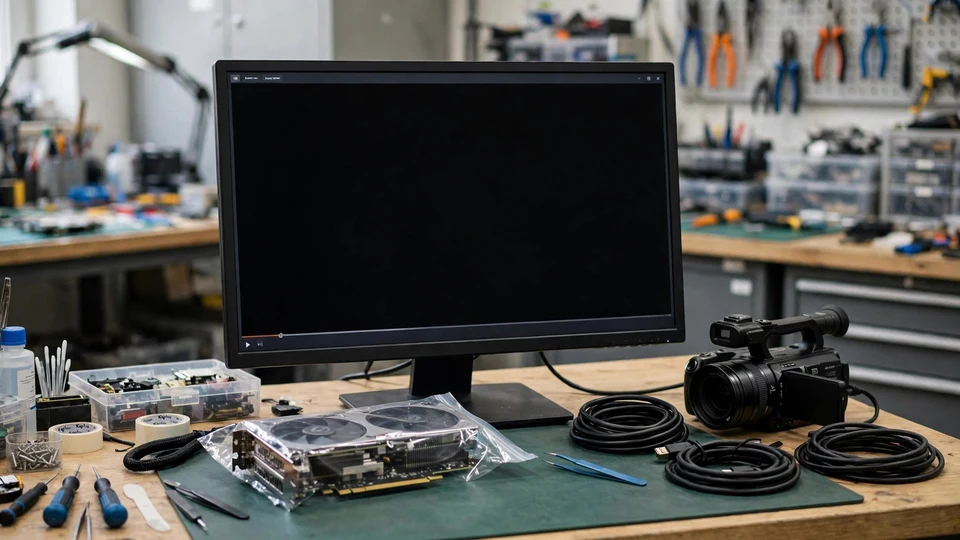
Key takeaway: A recording black for the first few seconds, then normal, is not necessarily broken: sound is present from the start, and the picture returns on its own. Measure how long the black opening lasts and whether the file is shorter than the recording time: those numbers separate a file never written from one written but not yet decodable.
A recording file starts with black picture for the first few seconds, completely black, and then the picture suddenly returns and plays normally for the rest of the file. The sound is normal from the very start: the opening seconds have sound and no picture. The file plays through to the end and its content is complete. That combination — black at the start, picture returning on its own, sound normal throughout — is the whole problem this guide addresses, and the combination itself is the first piece of evidence.
The instinct in this situation is to call the whole recording broken, or to call the file corrupted, or to delete the opening and assume the problem is fixed. All three instincts are premature. A black opening can come from the recording waiting for a keyframe before it starts writing, from picture frames written before the first keyframe that no player can decode yet, or from the capture source taking time to recognise the game. Those are three different mechanisms, they produce files with different lengths, and they are tested in different ways. The first job is therefore not to delete anything, but to measure the black opening and compare the file's length with the recording time, because those two numbers separate a file that was never written from a file that was written but cannot be decoded yet.
This guide covers only a narrow shape. Four conditions must all be present. First, the same recording file is black for the first few seconds and then the picture returns, and the picture stays normal for the rest of the file. The black is only at the start, not in the middle, not scattered, and not for the whole file. Second, the sound is normal from start to finish: the opening seconds have sound and no picture. If the opening has no sound either, and the file is shorter than the recording time, the shape is a late-write shape, and the duration comparison in Step 2 must be used to separate it before it can be treated as this guide's shape. Third, the file plays through and its content is complete: it is not a recording cut short by a power cut, and it is not truncated in transfer. A file that will not open, or that shows 0:00, is an index and truncation problem, not this guide's shape. Fourth, the length of the black opening can be measured: the reader must be able to say roughly how many seconds the opening is black, not only that it starts black. Without that measurement, none of the comparisons that follow has a baseline. The recording tool and version, the replay-buffer switch, the keyframe interval, the capture source (Game Capture or Window or Display Capture), the file format, and the encoder (hardware or software) must all be written down.
Keyframes: a usable data stream can only start with a keyframe
Modern codecs such as H.264 do not store a complete picture in every frame. They store a complete picture only occasionally, called a keyframe or I-frame, and the frames in between store only the changes from the frame before. A frame that says only "what is different" cannot be drawn without the frame before it. The frames between one keyframe and the next are called a GOP, a group of pictures. This is the mechanism behind the whole guide: a player or an editing program that has no keyframe cannot decode the frames that follow it, and the result is black picture until the first keyframe arrives.
The OBS official forum thread 180866 states this in plain words: "A usable data stream can only start with a key frame, so recording is waiting for a keyframe, then it starts writing your video file." The same thread gives the number boundary that matters most in this guide. With the default keyframe interval of 250 frames at 30 frames per second, a keyframe arrives every 8.3 seconds, so the recording can wait up to about 8 seconds. That number is a case figure from thread 180866, not a universal standard. A black opening of about 8 seconds is consistent with the keyframe layer only if the reader's own keyframe interval works out to about 8 seconds; the black opening must always be compared with the reader's own keyframe-interval setting, and 8.3 seconds must never be written as a fixed standard for every recording. By the same arithmetic, an interval of 60 frames at 60 frames per second works out to about 1 second — like the 8.3-second figure, a case figure to compare against the reader's own setting, not a universal standard.
Two different "missing openings": written late versus written but undecodable
The same keyframe mechanism produces two different files, and the reader should never treat them as though they were the same thing. Their file lengths differ, and their tests differ.
The first is written late, and the file is shorter than the recording time. When replay buffer is on, recording does not open a new encoder of its own. It reuses the replay buffer's encoder, and it must wait for the next keyframe before it starts writing the file. Thread 180866 records the case: a user made an 11-second test recording and got only 6 seconds of output. The missing part was the opening video: the file itself is shorter than the recording time, because the opening was never written into the file at all.
The second is written but undecodable, and the file is full length with a black opening. OBS forum thread 122563 confirms in plain words that "audio data and video p-frames are being written before the first video keyframe" — audio and video P-frames are already being written into the file before the first video keyframe, but a player or editing program with no keyframe cannot decode those P-frames, so the result is black picture (or grey picture) for the first few seconds, and then normal picture afterwards. Put into editing software, the whole video can be black. The file is full length, the data is all there, and only the opening cannot be decoded.
The two shapes must not be mixed together. The first file is short; the second file is full length. The duration comparison in Step 2 exists to separate them, and without measuring, the two cannot be told apart. That comparison is the first key comparison in the whole guide.
Capture-source layer: Game Capture itself can take about ten seconds to recognise the game
There is a third, independent cause that is not a keyframe wait at all. OBS forum thread 152120 records it: recording a game with Game Capture, OBS showed a black screen for about 10 seconds before the picture appeared, while the sound was normal throughout. Switching to Window Capture gave picture immediately. This is not a keyframe wait. It is a capture-source delay: Game Capture taking time to hook into and recognise the game. The capture-source comparison in Step 6 separates this layer from the keyframe layer, and it is one of the three tests that this guide adds beyond the mirror guide on silent openings. The two numbers look close — about 10 seconds for the Game Capture delay and up to about 8 seconds for the keyframe wait in thread 180866 — but the mechanisms are different, and the two numbers must never be averaged together or treated as one figure.
Players and editing programs do different things with the same file
A player and an editing program do not read a file the same way, and the same file can therefore look different in each of them. VLC plays from start to finish, decoding as it goes, with its own built-in decoder. An editing program must be able to jump to any frame at any time, so it starts decoding from the keyframe nearest before that frame. Applied to this guide's shape: VLC may jump straight to the first keyframe and skip the black opening, so the file looks fine; an editing program decoding from 0:00 shows the black opening as it is. The Adobe community records a case in the same direction: Premiere cut off the opening of a variable-frame-rate file, while VLC played it without any problem.
That difference is the basis of the player comparison in Step 5. The same file, played in VLC, in an editing program, and in another player, can show a different opening in each tool, and that does not mean one of the tools is broken. It means they decode keyframes differently. A file that looks fine in VLC has only proved that the part after the keyframe decodes; it has not proved that the opening is fine. The comparison must be made across tools, and the result decides whether the diagnosis continues at the file layer or at the decoding layer.
Trimming and transcoding can create a new black opening
Cutting off the black opening is not a repair, and cutting it the wrong way can create a new black opening. The utilitynest guide tested this with ffprobe: trimming with ffmpeg `-ss` after the input, with direct copy, the audio track starts at 0 seconds, but the first video frame is the keyframe at 8.0 seconds, leaving the first 2.5 seconds with sound and no picture. The onlineconvertfile guide states the same thing in general terms: copy-style trimming can only start at a keyframe, and it gives three possible results — starting early by falling back to the previous keyframe, starting on time but with the first few frames undecodable (frozen or grey picture, sound with no picture), or no picture at all. The instruction follows from the mechanism: trimming hides the symptom, it does not diagnose which layer caused it, and the wrong trimming method can add a black opening of its own. Trimming must never be written as the fix.
The five suspect layers
| Layer | What it means | Decisive comparison |
|---|---|---|
| Keyframe-wait layer | Replay buffer is on, and recording waits for the next keyframe before it starts writing; the black opening's length follows the keyframe interval | Replay-buffer switch comparison plus keyframe-interval arithmetic comparison: the black opening in seconds set against the interval in seconds |
| Pre-keyframe write layer | Audio and video P-frames are written before the first keyframe, and the player cannot decode the opening | Frame-step comparison (whether the opening black frames were written or never existed) plus MediaInfo track start-time comparison |
| Capture-source layer | Game Capture hook and game-recognition delay, about 10 seconds before picture appears, with sound normal throughout | Capture-source comparison: Game Capture versus Window or Display Capture |
| Player and editor decoding layer | VLC jumps to the keyframe, an editing program decodes from 0:00; variable frame rate and edit lists make different tools show different openings | Player comparison: VLC versus an editing program versus another player |
| Recording-software layer | OBS versus ShadowPlay or Game Bar; hardware and software encoders start up differently | Recording-software comparison: the same scene recorded once with another tool |
Each layer has its own comparison, and no single comparison covers all five. The duration comparison separates a file that was never written from a file that was written but cannot be decoded. The MediaInfo comparison separates a video track that is shorter than the audio track from two tracks of the same length. The frame-step comparison is the only test that shows whether the opening black frames were written at all, because audio has no frame stepping. The player comparison separates a file fault from a decoding difference. The capture-source comparison separates a hook delay from a keyframe wait. The order in the seven steps below is the order that wastes the least time.
Seven diagnostic steps
Step 1 — Define the shape
Confirm the four shape conditions: the opening few seconds are black and then the picture returns, the sound is normal from start to finish, the file plays through, and the black opening can be measured. Write down the baseline before changing anything: the recording tool and version, roughly how many seconds the opening is black, the timecode at which the picture first appears, the recording time and the file time, whether replay buffer is on or off, the keyframe interval, the capture source (Game Capture or Window or Display Capture), the file format, and the encoder (hardware or software). A diagnosis built on a vague description such as "the start is black" cannot be checked later, because it does not say how long the black opening was or what the settings were. The baseline is the comparison material for every step that follows.
Step 2 — Measure the black opening and compare file duration with recording time
In VLC, jump through the file in steps to find the timecode at which the picture first appears, and write down the number of seconds. Then compare the recording time with the file time. If the file is shorter than the recording time — for example, 11 seconds recorded and only 6 seconds in the file — the cause points at the first layer, written late: the opening was never written. If the file time matches the recording time but the opening is black, the cause points at the second layer, written but undecodable. This step is the first key comparison in the whole guide: whether the times agree already separates two different files, and without measuring, everything after it is guessing.
Step 3 — Compare the two tracks' lengths and start times in MediaInfo
Put the video track length and the audio track length side by side, and look at the video track's start time, in MediaInfo's delay or start field. If the video track is shorter than the audio track, the cause points at unwritten material: the opening never reached the file. If the two tracks are the same length but the opening is black, the cause points at written but undecodable. If the video track has a start delay, the cause points at the second layer, written but undecodable. This step separates "never written" from "written but undecodable", and it must not be skipped. Note that MediaInfo showing a video track exists does not mean the opening has picture: existence only proves the file contains a video track, and whether the opening can be decoded must be seen frame by frame.
Step 4 — Step through frame by frame from 0:00
In an editing program, start at 0:00 and step through frame by frame, looking at whether the opening seconds are black frames or no frames at all. If the black frames can be counted one by one and the picture suddenly appears at a certain timecode, the cause points at the second layer: black frames or undecodable P-frames were written, waiting for the keyframe. If stepping through jumps straight from 0 to several seconds later, with no frames at the start at all, the cause points at the first layer, written late. This step is unique to this guide: audio cannot be stepped through frame by frame, only video can, and the waveform check used for silent openings has no equivalent on the video side. Frame stepping must be used instead.
Step 5 — Compare players
Play the same file once in VLC, once in an editing program, and once in another player, and note which ones show the black opening and which ones do not. If all of them show the opening black, the problem is in the file itself. If VLC shows no black opening but the editing program does, the cause points at the fourth layer, the decoding layer: VLC jumps to the keyframe, while the editing program decodes from 0:00. If the editing program cuts off the opening while VLC plays it without any problem, the cause points at the variable-frame-rate and edit-list layer. This step only compares playback results. Do not change any recording setting at the same time, or the result cannot be attributed to either change.
Step 6 — Compare replay buffer and capture source
Turn off replay buffer and record again. If the black opening disappears, the cause points at the first layer, the keyframe wait. If the black opening stays, change the capture source and record again: switch from Game Capture to Window or Display Capture. If the black opening disappears, the cause points at the third layer, the Game Capture hook delay. If neither comparison changes anything, move to Step 7. On the keyframe interval, compare the black opening in seconds with the interval in seconds: for example, 250 frames at 30 frames per second is about 8.3 seconds. If the numbers agree, the cause points at the first layer; if they are far apart, the cause is not the keyframe layer. To put it plainly: shortening the keyframe interval is only a comparison test, not a recommended permanent setting. Thread 180866 states that shortening the interval lowers the quality of constant-bitrate recording.
Step 7 — Compare recording software and the stop line
Record the same scene with the same settings using another recording tool, such as ShadowPlay or Game Bar. If the other tool has no black opening, the cause points at the fifth layer, the OBS encoder's start-up behaviour. If the other tool also has a black opening, the cause points at the system or capture layer. If the seven steps are complete and the fault still cannot be divided, or if a hardware fault is suspected, stop and bring the written record to Room 1209, Dali Plaza, Shek Mun for inspection. The telephone number is 2186 8010 and WhatsApp is 6558 6806. There is no Mong Kok shop, and there is no on-site service.
Boundary cases
A recording file whose opening few seconds have no sound, with picture present, is the mirror shape: this guide is sound with no picture, and that guide is picture with no sound. The mirror guide's boundary hands this shape over explicitly, and this guide respects that boundary rather than re-litigating the mirror topic. A recording file that goes silent part-way through, with sound at the start, is a mid-recording silence shape, not a black opening. A recording file with no sound at all is a fully silent shape, not an opening shape. A finished export with sound and no picture for the whole file is an output-stage problem, not a recording opening of a few seconds. A recording interrupted by a crash or power cut, leaving a file that will not open, is an index and truncation problem, not a black opening. A recording file whose audio track is missing in an editing program while VLC has sound is a track-mapping problem, not a video-opening problem. A recording picture that freezes part-way through while the sound continues is a mid-recording freeze, not a black opening. A finished export with silent passages in some parts is an output and sound problem, not a recording opening video problem. A background-buffer recording that stutters during play is a background-buffer stutter problem, not a black opening. Each of these has its own guide, and the black-opening diagnosis in this guide does not apply to them.
Six common misconceptions
- "Black at the start means the whole recording is broken." Wrong. The picture returning afterwards proves the recording chain is basically working, and the problem is only in the opening seconds. The duration comparison separates written late from written but undecodable, and that separation is the diagnosis.
- "A black screen means the file is corrupted." Wrong. Thread 122563 proves that audio and P-frames were written before the first keyframe, so the file's data is complete and only the player cannot decode the opening without a keyframe. A corrupted file is the index and truncation shape, where the file will not open or shows 0:00, not this guide's shape.
- "Turning off replay buffer will definitely fix it." Wrong. Replay buffer is only the first layer. The Game Capture hook delay in thread 152120 and the P-frame ordering are independent layers, and turning off replay buffer does not affect them.
- "If VLC plays it, the file has no problem." Wrong. VLC may jump straight to the first keyframe and skip the black opening, while an editing program decoding from 0:00 shows the black opening as it is. VLC playing it only proves that the part after the keyframe decodes; it does not prove the opening is fine.
- "Shortening the keyframe interval is always good." Wrong. Thread 180866 states that shortening the interval lowers the quality of constant-bitrate recording. The interval is a comparison variable, not a setting to turn down as a matter of course.
- "Trimming off the black opening at the start is a fix." Wrong. Trimming only hides the symptom; it does not diagnose which layer caused it. And the wrong trimming method, copy-style trimming that does not land on a keyframe, can create a new black opening: the utilitynest test found the first 2.5 seconds with sound and no picture after such a trim.
What is confirmed, what is only a case figure
The confirmed parts of this guide are the ones the outside sources state in their own words: a usable data stream can only start with a keyframe, so recording waits for a keyframe before it starts writing the file; audio data and video P-frames are written before the first video keyframe, and a player without a keyframe cannot decode them; Game Capture can show a black screen for about 10 seconds before the picture appears, while switching to Window Capture gives picture immediately; and shortening the keyframe interval lowers the quality of constant-bitrate recording.
The three figures below are case figures, openly labelled as such, not measurements. The 250 frames at 30 frames per second, about 8.3 seconds, is the default value in the thread 180866 case, not a universal standard, and the black opening must always be compared with the reader's own keyframe-interval setting. The 11-second recording producing only 6 seconds of output is the thread 180866 case, not a general rule. The Game Capture black period of about 10 seconds is the thread 152120 case, and it must not be averaged with the 8.3-second keyframe figure, because the two numbers come from different mechanisms. No figure in percentages, no case count, no success rate, and no fee beyond the site's published three-tier fee appears in this guide, because none is supported by the sources used.
Sources and what they do and do not establish
The OBS official forum thread 180866, "OBS not capturing first 5 seconds of video", records a user whose 11-second test recording produced only 6 seconds of output, and a reply stating that when replay buffer is on, recording reuses the replay buffer's encoder, that a usable data stream can only start with a keyframe, so recording waits for the next keyframe before it starts writing the file, that the default keyframe interval is 250 frames, which at 30 frames per second is one keyframe every 8.3 seconds and a wait of up to about 8 seconds, and that the ways to avoid it are to stop replay buffer before recording, to shorten the keyframe interval, which lowers constant-bitrate recording quality, or to write the replay buffer directly. It is used here for the keyframe-wait mechanism, the written-late shape, and the interval arithmetic.
The OBS official forum thread 152120, "OBS doesn't record video for first 10-ish seconds of game capture", records a user recording a game with Game Capture whose OBS screen stayed black for about 10 seconds before the picture appeared, with sound normal throughout, and who got picture immediately after switching to Window Capture, with a reply suggesting trying different capture sources. It is used here for the capture-source layer, which is unique to this guide.
The OBS official forum thread 122563, "Recording Problem ruining recordings", records a recording whose opening seconds were grey or black and then returned to normal, with the whole video black when put into editing software, and a reply confirming that audio data and video P-frames were written into the file before the first video keyframe. The user tried administrator mode, reinstalling OBS, and the MKV format, none of which worked, and mkclean and remux were only directions for investigation, not confirmed fixes. It is used here for the written-but-undecodable shape.
The utilitynest guide "Why does my trimmed video start early or freeze at first?" states the keyframe and GOP mechanism, that H.264 stores a complete picture only occasionally and the frames in between depend on the frames before them, and it records a test with ffprobe: trimming with ffmpeg `-ss` after the input, with direct copy, the audio track starts at 0 seconds but the first video frame is the keyframe at 8.0 seconds, leaving the first 2.5 seconds with sound and no picture. It also states that MP4 and MOV files can use an edit list to hide the frames before the keyframe, and that a player or editing program that does not understand edit lists will start early. It is used here for the trimming layer and the keyframe mechanism.
The onlineconvertfile guide "Why a Trimmed Video Starts in the Wrong Place" states that copy-style trimming can only start at a keyframe, and it gives three possible results: starting early by falling back to the previous keyframe, starting on time but with the first few frames undecodable, frozen or grey picture with sound and no picture, or no picture at all. It also states that phone recordings usually have one keyframe per second, while streaming and screen-recording software usually has one every 2 to 10 seconds. It is used here for the trimming layer.
The Adobe community thread "Cut off the beginning of a video" records a case in which Premiere cut off the opening of a variable-frame-rate file, with the audio uncut and the video about 10 seconds shorter, while VLC played it without any problem, and a reply stating that variable-frame-rate files are a common cause and that converting to constant frame rate is a direction for investigation. It is used here for the player and editor decoding layer.
There is a conflict between the sources that this guide states rather than resolves. Thread 180866 says recording waits for a keyframe before writing, so the file is shorter and the opening was never written, while thread 122563 says P-frames were already written before the first keyframe, so the file is full length and the opening cannot be decoded. The two statements do not contradict each other: they are two different results of the same encoder start-up, and this guide separates them with the duration comparison in Step 2 rather than writing one as always right. Thread 152120's Game Capture black period of about 10 seconds and thread 180866's keyframe wait of up to about 8 seconds are close in number but different in mechanism, hook delay versus keyframe wait, and this guide separates them with the capture-source comparison in Step 6 rather than averaging the two numbers together. No outside source consulted for this guide lists "a recording file black at the start, then picture" as a single named phenomenon; the three OBS forum cases each describe one kind of missing opening, and the five layers in this guide are a diagnostic framework assembled from them, not a classification quoted from any one source. That honest gap is stated here.
FAQ
Does black at the start mean the whole recording is broken?
No. The picture returning afterwards proves the recording chain is basically working, and the problem is only in the opening seconds. The duration comparison separates the two shapes: an 11-second recording producing only 6 seconds of output was written late, and a full-length file with a black opening was written but cannot be decoded yet. Either way, the rest of the recording is intact, and the diagnosis starts with measuring the black opening, not with deleting the file.
Does a black screen mean the file is corrupted?
No. Thread 122563 confirms that audio and P-frames were written into the file before the first video keyframe, so the file's data is complete and only the player cannot decode the opening without a keyframe. A corrupted file is the index and truncation shape, where the file will not open or shows 0:00. A file that plays through with a black opening and then normal picture is not that shape.
Will turning off replay buffer definitely fix a black opening?
No. Replay buffer is only the first layer. The Game Capture hook delay in thread 152120 and the P-frame ordering are independent layers, and turning off replay buffer does not affect them. Turning off replay buffer and recording again is a useful comparison: if the black opening disappears, the cause was the keyframe wait, and if it stays, the diagnosis moves to the capture source.
If VLC plays it, does that mean the file has no problem?
No. VLC may jump straight to the first keyframe and skip the black opening, while an editing program decoding from 0:00 shows the black opening as it is. VLC playing it only proves that the part after the keyframe decodes; it does not prove the opening is fine. The same file must be compared across VLC, an editing program, and another player before the opening can be judged.
Is shortening the keyframe interval always good?
No. Thread 180866 states that shortening the interval lowers the quality of constant-bitrate recording. The interval is a comparison variable, not a setting to turn down as a matter of course. Compare the black opening in seconds with the interval in seconds first: if the numbers agree, the keyframe layer is the suspect, and if they are far apart, the cause is not the keyframe layer.
Does trimming off the black opening at the start fix the problem?
No. Trimming only hides the symptom; it does not diagnose which layer caused it. And the wrong trimming method can create a new black opening: copy-style trimming that does not land on a keyframe can leave the first seconds with sound and no picture, as the utilitynest test showed with 2.5 seconds of sound and no picture. Diagnose first, and do not treat trimming as the repair.
If the fault still cannot be divided
Bring the written record described in Step 1 to Room 1209, Dali Plaza, Shek Mun for inspection. The telephone number is 2186 8010 and WhatsApp is 6558 6806. There is no Mong Kok shop, and there is no on-site service. The site's published three-tier fee is HK$400–780, HK$480–1,380, and HK$680–2,800, an overall range of HK$400–2,800, with the actual fee quoted after inspection. Do not delete the original file before coming in; the file and its measured black opening are the comparison material.