GPU Connected to the TV but the TV Won't Power On or Off With the PC? HDMI CEC Link, Signal-Detection Power & TV Setting Diagnosis Guide
Key Takeaways
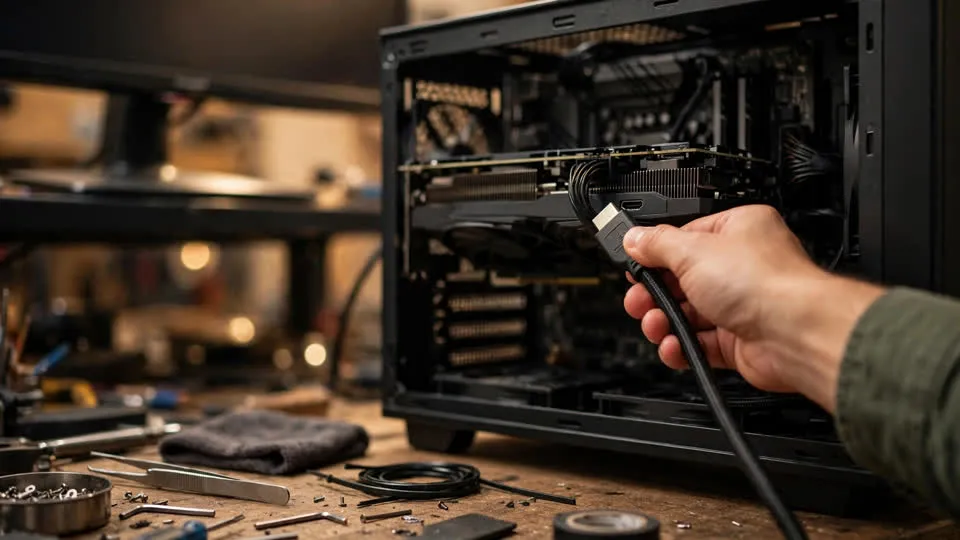
If a TV connected to a PC never powers on or off in step with the computer, the first fact to accept is that PC graphics cards generally do not implement CEC, so the absence of a power link is usually not a fault in the graphics card at all: CEC is a separate control signal carried on its own wire inside the HDMI cable, it exists only on HDMI, it works only when both the TV and the source device support it and have it switched on, and it is an entirely different mechanism from a TV that switches itself on because it has detected a picture signal, so this guide separates the two mechanisms, works through the connection, the direct-connection comparison, the other-source comparison, and the TV settings in order, and shows how to tell a missing capability from a setting left off, a standby mode that cannot listen, a cable or switch that does not pass the control wire, or several CEC devices arguing with each other.
The Fact That Must Come First: PC Graphics Cards Generally Do Not Implement CEC
This guide opens with a statement that changes how everything else in it should be read. PC graphics cards generally do not implement CEC. That sentence is not a softening of a diagnosis, and it is not a guess about one particular card. It is the starting position for the whole problem, and it explains why the most common version of this complaint — the TV follows a games console or a set-top box perfectly, but refuses to follow a PC at all — is, in itself, not evidence that anything is broken.
Consoles, set-top boxes, and disc players are consumer electronics products built around a living-room control model. Their makers expect them to sit beside a TV, to be switched on and off with a single remote, and to hand the TV its input when they wake. CEC belongs in that world. A desktop PC is not built around that model. Its display output is designed to drive a monitor, to negotiate resolution and refresh rate, and to present a desktop, and the control commands that a TV understands have never been a guaranteed part of that job. Some PC hardware may carry CEC capability, and some may not, and the only honest general statement is that support is inconsistent and cannot be assumed. A reader who starts from the assumption that every graphics card should issue CEC commands will spend the whole diagnosis chasing a fault that does not exist, testing cables and TV settings for a command that was never sent.
That is also why this guide never describes the situation as a broken CEC implementation in the graphics card. A capability that was never implemented cannot be described as broken, in the same way that a car without a sunroof cannot be described as having a broken sunroof. The distinction matters beyond wording. If the card is treated as faulty, the next step looks like repair or replacement, and that step will not produce a CEC command either, because the replacement card is subject to the same general position. If the card is treated as a device whose CEC capability is unproven, the next step looks like a comparison: does a known CEC source drive the same TV, on the same input, in the same way? That comparison, described later in this guide, is the test that separates a missing capability from a television setting, and it is the test that saves the reader from replacing hardware for no reason.
Windows adds a second reason not to assume CEC. There is no universal Windows switch labelled for CEC that a user can simply turn on and expect every graphics card to obey. Display settings in Windows concern resolution, refresh rate, arrangement, and colour, not living-room control commands. A reader who searches the operating system for a CEC control and fails to find one has not missed a hidden option. The absence of such a control is consistent with the general position: the PC side of the link is not a standardised CEC source in the way a console is. Any claim that a driver update alone will create CEC where the hardware does not provide it should be treated with the same caution. A driver can expose a capability that the hardware already carries, but it cannot invent a control wire that the hardware never connected, and this guide does not present driver updates as a route to CEC.
The practical consequence is a calmer diagnosis. The question is no longer "why is this card failing to do something it should do", but "does this particular combination of PC, cable, and TV have a working CEC path at all, and if not, which link in the chain is missing". That question has an answer that can be found by comparison and elimination, and the rest of this guide is built to find it, one variable at a time, without inventing a fault to explain the result.
Two Different Mechanisms That Look Identical From the Sofa
From the sofa, two quite different television behaviours look like the same thing. In one, the TV switches on when the source device switches on, and switches off when the source device switches off, because the source device sent it a control command telling it to do so. In the other, the TV switches on because it noticed that a picture signal has appeared on one of its inputs, and drifts into standby after a period with no signal, because it noticed that the signal has gone. Both end with the TV on when the PC is on and off when the PC is off, and both fail with the TV sitting dark while the PC is running, or glowing while the PC is asleep. But they are different mechanisms, controlled by different settings, tested by different comparisons, and fixed by different changes, and treating them as one mechanism is the most common reason this diagnosis goes in circles.
CEC is the control-command mechanism. It travels on pin 13 of the HDMI connector, a wire that carries control commands and nothing else. It is not the picture signal. It is not the sound signal. It is a separate conversation running alongside the picture, in which one device can tell another to power on, to power off, to switch input, or to adjust volume. The picture can be perfect while the control conversation is entirely absent, because the picture travels on different wires and through different circuits. That is the single most important separation in this guide: a good picture proves that the picture path works, and it proves nothing at all about the control path. A reader who reasons "the picture is fine, so the HDMI connection must be fine, so the power link should work" has confused two paths that happen to share a cable.
Signal-detection power is the other mechanism. A television that offers it watches its inputs for the presence of a picture signal. When a signal appears, the television may switch itself on, or switch to that input, without any control command being sent. When the signal disappears and stays absent, the television may fall into standby on its own. This behaviour needs no CEC, no control wire, and no cooperation from the source device beyond the ordinary act of producing a picture. A PC that produces a picture when it wakes will therefore trigger signal-detection power on a television that has the feature switched on, even though the PC has never sent a CEC command in its life. Conversely, a television that has signal detection switched off will stay dark when the PC wakes, even though the picture path is working, because nothing told it to look, and nothing told it to wake.
The two mechanisms also fail differently, and that difference is itself diagnostic. A CEC failure tends to be clean and total: the link never worked, in either direction, from the start, because a command was never sent, never received, or never enabled at one end. A signal-detection failure tends to follow the signal: the television follows the PC when a signal genuinely appears and disappears, but may switch on at unexpected moments if another device on another input produces a signal, or may refuse to switch off while any signal remains, including a signal from a device that is not the PC. A television that switches itself on in the middle of the night because a different device woke and produced a signal is showing signal-detection behaviour, not CEC behaviour, and the remedy lies in the signal-detection setting, not in the CEC setting.
Because the two settings live in different places in a television menu, and because they are often described in similar language, it is easy to switch one on, believe the other has been switched on, and conclude that the feature is broken when nothing changes. This guide therefore insists that the two settings be handled separately, changed one at a time, and tested one at a time. Changing both at once and observing an improvement proves only that something in the pair helped, and leaves the reader unable to say which one mattered, which one can be left alone, and which one will cause a surprise later. The discipline of one change at a time is slower, but it is the only way to end with knowledge rather than with a lucky combination.
Why HDMI Is the Only Interface in This Story
CEC exists only on HDMI. That sentence eliminates a whole class of setups from CEC diagnosis at a stroke. DisplayPort, DVI, and VGA have no CEC wire, no CEC protocol, and no way for a source device to tell a television to power on or off through the display connection. A PC connected to a television through DisplayPort, even through a DisplayPort-to-HDMI adapter, cannot drive the television through CEC, because the CEC path never existed at the source end. An adapter can convert a picture signal from one interface to another, but it cannot create a control conversation that the source never started.
This matters because televisions often offer both HDMI and DisplayPort-style inputs, and PCs often offer both outputs, and a reader who has connected by whichever cable was at hand may not have noticed which interface is actually in use. The first physical check in any power-link diagnosis is therefore not a setting, but a cable: is the connection HDMI from end to end, with an HDMI connector at the PC and an HDMI connector at the television, and with no adapter in between that changes the interface? If the answer is no, CEC is already excluded, and the rest of the CEC diagnosis does not apply. That is not a failure of the diagnosis. It is the diagnosis, reached quickly, and it redirects the reader to the honest alternatives: accept that the television will need its own remote or its own signal-detection setting, or change the connection to a full HDMI path and test again.
The same logic applies to the devices between the PC and the television. A receiver, a switch, a splitter, a matrix unit, or an extender sits in the middle of the HDMI path, and each one must pass the CEC wire through if the control conversation is to survive the journey. Some do, and some do not, and some pass it only on certain inputs or only when they are themselves powered in a particular way. A chain that delivers a perfect picture can still break the control conversation at any middle link, because the picture wires and the control wire are handled by different parts of the middle device. The direct-connection comparison later in this guide exists for exactly this reason: removing the middle links, even temporarily, is the only way to learn whether the middle of the chain or the ends of the chain are responsible.
Cheap cables deserve a careful word here, because the usual advice about cables is often stated too strongly in both directions. A cheap cable is not automatically incapable of carrying CEC, and an expensive cable does not create CEC capability where none exists. What a cable can do is fail to connect pin 13, whether through a missing wire, a poor contact, or damage, and in that case the control conversation never reaches the television even though the picture wires are intact. The price of the cable is not the test. The test is a comparison with another cable, on the same setup, with everything else held constant, and the guide returns to that comparison in its proper place. The misconception to avoid is the idea that buying a more expensive cable will teach a graphics card to issue CEC commands. It will not. It can only preserve a command that is already being issued.
Step One: Describe the Symptom Before Touching Anything
Diagnosis goes wrong most often at the very first step, when a vague complaint is treated as a precise symptom. "The TV does not follow the PC" can mean at least three different things, and each one points in a different direction. The reader should therefore begin by writing down, in plain words, which of the three shapes is actually happening, before changing a cable, a setting, or a connection.
The first shape is that the link has never worked at all. From the day the PC was connected to the television, the television has never powered on with the PC and never powered off with it. The television has always needed its own remote, and the PC has always been switched separately. This shape points toward a missing capability or a setting that was never enabled: the PC side may not issue CEC at all, the television side may have CEC switched off, or a middle device may be blocking the control wire. It does not point toward a fault that developed over time, because nothing changed. The history itself is evidence, and it should be recorded as such.
The second shape is intermittent following. Sometimes the television follows the PC, and sometimes it does not, with no obvious change in between. This shape points toward state rather than capability. A television in a deep standby or low-power mode may be unable to hear a CEC command that it would hear in ordinary standby, so whether the link works on a given occasion can depend on which standby state the television happened to be in. A signal-detection link can also behave intermittently, because it depends on whether a signal was present, absent, or present on a different input at the moment of the test. Intermittent following therefore calls for attention to standby mode and to signal state, not for a search for a broken part.
The third shape is the television switching itself on or off, or changing input, without being asked. The television comes on in the night, or jumps to a different input while the PC is in use, or switches off while the PC is still running. This shape points away from a missing link and toward too many links: several CEC-capable devices connected to the same television can issue competing commands, each trying to claim the input or to control power, and the result is a television that obeys the loudest or the latest command rather than the one the viewer wanted. This shape is not a failure to follow. It is following too many masters at once, and its remedy is to reduce the number of CEC sources, not to strengthen the link.
Recording which shape is present also prevents a later confusion, in which a test result is read as success or failure without reference to the original complaint. A direct-connection test that makes a never-worked link work once has found something important. The same test applied to an intermittent link may give a different answer on different days, and that variation is itself information about standby state rather than evidence that the test was done wrong. The written symptom is the anchor for every comparison that follows, and the guide asks the reader to keep it visible throughout.
Step Two: Confirm the Connection Path, Honestly
With the symptom described, the next step is to trace the physical path from the PC to the television and to write down every link in it. The path may be short: one HDMI cable, directly from the graphics card to the television. Or it may be long: a cable from the PC to a receiver, another cable from the receiver to the television, a switch in between, an extender carrying the signal across a room, or an adapter changing the connector at one end. Each additional link is an additional place where the CEC wire can be interrupted, and each one must be named before it can be tested.
The distinction between an HDMI path and a converted path must be recorded explicitly. If any part of the path begins as DisplayPort, DVI, or VGA, CEC is excluded for that path, as explained above, and no amount of television setting changes will create it. The reader who discovers a converted path at this stage has already reached a useful conclusion: the television will not follow the PC through CEC on this connection, and the choice is between changing the connection to full HDMI, relying on signal detection if the television offers it, or accepting separate power control. That conclusion should not be treated as a disappointment. It is a clean answer, reached without buying anything, and it prevents a long search through settings for a feature that the connection cannot carry.
If the path is full HDMI, the middle devices still need to be listed. A receiver that is normally left in standby, a switch that is normally left on another input, and a splitter feeding a second display are all ordinary parts of a living-room setup, and each one can affect the control conversation in ways that are invisible from the picture alone. The list should include not only the device names, but also their ordinary states: which input the receiver is normally on, whether the switch is powered, whether the splitter is active. A middle device that passes CEC only when it is fully powered, for example, will break the link on every occasion when it is left in standby, and that pattern will look exactly like an intermittent television fault until the middle device is named and its state is noticed.
This step asks for no changes yet. It asks only for an accurate map. The map is what makes the next comparison meaningful, because a direct-connection test is only a test if the reader knows what was removed to perform it.
Step Three: The Direct-Connection Comparison
The direct-connection comparison is the decisive physical test in this guide. It is simple to describe and strict to perform. Disconnect every middle device between the PC and the television, and connect the PC to the television with a single HDMI cable, directly, with nothing in between. Then test the power link in the same way as before, with the same television input, the same PC state, and the same television settings. Change nothing else.
If the link works on the direct connection and failed through the middle devices, the middle of the chain is responsible. Something between the PC and the television was not passing the control wire, or was interfering with it, and the picture had hidden that fact because the picture wires passed through cleanly. The remedy follows from the finding: the middle device needs to be examined on its own terms, whether that means a setting within it, a different input on it, a powered state it must be in, or a replacement for a unit that does not pass CEC. The guide does not prescribe which remedy fits which middle device, because middle devices differ too widely, but it does insist that the remedy be aimed at the middle device now that the comparison has named it.
If the link still fails on the direct connection, the middle devices are excluded, and attention moves to the two ends: the PC and the television. That exclusion is valuable even though it feels like a negative result. It means that no further time needs to be spent on the receiver, the switch, or the extender, and that the remaining candidates are the capability of the PC, the settings of the television, and the standby state of the television. A test that excludes a whole section of the chain is not a wasted test. It is the test doing exactly what it is for.
The direct-connection comparison must be performed with the same cable if possible, or with a cable change recorded as a separate variable if the original cable cannot reach directly. Changing the cable and removing the middle devices at the same time changes two variables at once, and a success after both changes cannot say which change mattered. If a different cable must be used for the direct test, the reader should note that fact, and should repeat the test with the original cable through the middle devices, and with the direct cable through the middle devices if the length allows, so that cable and middle device are separated. The discipline is tedious, but it is the difference between knowing and guessing, and this guide is built on knowing.
A further caution concerns the television input used for the direct test. Televisions can store settings per input, and a direct connection to a different input from the one normally used is not the same test as a direct connection to the usual input. The direct cable should go to the same television input that the normal setup uses, so that input-specific settings do not become a hidden variable. If the usual input cannot be reached directly, the change of input must be recorded alongside the result, and the input-specific settings of both inputs must be compared before any conclusion is drawn.
Step Four: The Other-Source Comparison
The other-source comparison answers the question that the direct-connection comparison leaves open: is the television capable of following a source device at all, on this input, with these settings? It answers it by replacing the PC, temporarily, with a source device that is known to implement CEC — a games console, a set-top box, or a disc player that has previously followed, or is expected to follow, a television power link. The television, the input, the cable path, and the television settings stay the same. Only the source device changes.
If the known CEC source follows the television, and the PC does not, the finding is clear and should be stated plainly: the television can follow a CEC source, and the PC, in this setup, does not provide the CEC commands that the television would follow. That is a statement about the PC side of this particular combination, not a judgement about the television, and not a claim that the PC is faulty. It is the expected outcome for a PC whose graphics card does not implement CEC, and it is the outcome that this guide warned the reader to expect at the outset. The value of the test is that it converts an expectation into a measured result on the reader's own equipment, and it closes the television side of the investigation. No further television setting changes are needed to explain the PC result, because the television has just demonstrated that it follows when a CEC command actually arrives.
If the known CEC source also fails to follow the television, the finding points the other way. The television side has not yet demonstrated a working CEC link, and the investigation stays with the television: its CEC setting may be switched off, it may be in a deep standby or low-power mode that cannot hear the command, or its per-input settings may differ from the input being tested. The PC result, in this case, proves nothing about the PC, because the comparison source failed under the same conditions. The reader should not conclude anything about the graphics card until the television has been shown to follow at least one source.
The other-source comparison also needs care about which input is used and which settings are active. A console connected to a different television input, with different per-input settings, is not a fair comparison for the PC input. The comparison source should use the same input, or the input settings of both inputs should be checked and matched, before the result is read. The same care applies to standby state: a television tested from ordinary standby with one source and from deep standby with another is not being tested under comparable conditions. Holding the television state constant across the two sources is part of the test, not an optional refinement.
When the other-source comparison has been done properly, the reader holds a two-by-two picture: the television follows or does not follow a known source, and the PC follows or does not follow the same television. That picture, combined with the direct-connection result, is enough to place the responsibility in one of three places — the PC capability, the television settings or state, or the middle of the chain — and the remaining steps refine that placement rather than reopening it.
Step Five: Television Settings, Checked One at a Time
Television settings are where this diagnosis most often goes wrong, not because the settings are complicated, but because they are named differently by every maker, and because two different settings are often described in similar words. This guide therefore names the settings by function, gives the common maker names for the CEC setting, and refuses to give a fixed menu path, because a fixed path that is wrong for the reader's television is worse than no path at all. The reader should follow the television manual and the actual menu names on their own television, and should treat any guide that claims a universal path with suspicion.
The first setting is the CEC setting itself. Makers rarely call it CEC on the television screen. Samsung televisions commonly call it Anynet+, LG televisions commonly call it SimpLink, and Sony televisions commonly call it BRAVIA Sync. Other makers use their own names for the same function. The function is the same in every case: it enables the television to send and receive HDMI control commands. If this setting is switched off, the television will not follow a CEC source, however capable the source is, and however good the cable is. Checking it means finding the control setting under its maker name, confirming its state, and recording it, not assuming it from the fact that the television is new, or from the fact that a different feature works.
The second setting is the standby mode. A television in ordinary standby keeps enough of its control circuits awake to hear a CEC command and to wake fully when one arrives. A television in deep standby, or in a low-power eco mode, may switch off those circuits as part of saving power, so that a CEC command arriving during deep standby finds nothing awake to hear it. The television is not ignoring the command out of stubbornness. It is, in power terms, not present to receive it. The remedy, where this is the cause, is to use the ordinary standby or quick-start style mode that keeps CEC listening alive, under whatever name the maker gives it, as described in the television manual. The reader should not assume that the deepest power saving and the most responsive CEC listening can coexist, because on many televisions they are in tension, and choosing one means giving up something of the other.
The third setting is the signal-detection setting, which must be checked separately from CEC, as explained earlier. It may be described as automatic power on with signal, wake on signal, or automatic standby when no signal is present, under maker-specific wording. Its state should be recorded separately from the CEC state, and it should be tested separately: switch the signal-detection setting on its own, with CEC left as it was, and observe whether the television now follows the PC through signal appearance and disappearance. Then restore it, switch CEC on its own, and observe again. Only by testing the two settings apart can the reader learn which mechanism, if either, is doing the work in their setup. Testing them together and observing success teaches nothing about which one succeeded, and it invites a later surprise when one of them is changed for another reason and the link silently stops working.
A fourth consideration is per-input storage. Many televisions store picture and control settings separately for each HDMI input, and sometimes separately for built-in applications as well. A CEC setting switched on for one input does not automatically apply to another input, and a setting changed while watching a built-in application does not automatically apply to an external HDMI input. The reader should therefore check the settings while the television is on the input that the PC actually uses, and should repeat the check for any other input that matters, rather than assuming that a single change covers the whole television. A link that works on one input and fails on another, with the same PC and the same cable, is often a per-input setting difference rather than a hardware difference, and it is found only by checking inputs one by one.
| Test | What to hold constant | What the result means |
|---|---|---|
| Symptom description | Nothing changed yet, only observation recorded | Never worked, intermittent, or self-switching point in different directions |
| Connection path trace | The existing setup, listed link by link | A converted path excludes CEC; a middle device becomes a named suspect |
| Direct connection | Same television input, same PC state, same television settings, middle devices removed | Works directly means the middle chain blocked the control wire; still fails means the ends or the settings are responsible |
| Other-source comparison | Same television, same input, same settings, same standby state, only the source changed | Known source follows and PC does not means the PC side does not issue CEC; known source also fails means the television side is not yet proven |
| CEC setting check | One setting changed at a time, per the television manual and actual menu names | CEC off explains a total failure to follow any CEC source |
| Standby mode check | Same source, same input, standby mode changed alone | Deep standby or low-power mode explains intermittent failure to wake on command |
| Signal-detection check | CEC left unchanged while signal detection is tested alone | Following through signal appearance and disappearance means signal detection, not CEC, is doing the work |
| Power direction split | Switch-on and switch-off tested and recorded separately | One direction working and the other failing is a real partial result, not a vague intermittent fault |
| Sleep versus full shutdown split | Sleep wake and cold boot tested separately | Sleep wake is the meaningful CEC case; cold boot after full shutdown is not expected to power-link |
| Competing sources check | Other CEC devices disconnected one at a time | Self-switching or input jumping stops when a competing source is removed |
Step Six: Power On and Power Off, Tested Separately
A power link has two directions, and they must be tested separately. The switch-on direction asks whether the television powers on when the PC powers on, or wakes when the PC wakes. The switch-off direction asks whether the television powers off, or falls into standby, when the PC powers off or sleeps. A setup can satisfy one direction and fail the other, and that partial result is meaningful. It is not the same as a vague intermittent fault, and it should not be described as one.
One-directional following can arise from settings. A television may be configured to follow a switch-off command but not a switch-on command, or to wake on signal detection but not to fall into standby on signal loss, or the reverse, depending on which settings are enabled and how the maker has implemented them. It can also arise from capability: a source device may issue one kind of command and not the other, or a middle device may pass one direction of the conversation more reliably than the other. The reader who records "switch-on follows, switch-off does not" has a precise finding that can be compared against the television settings, one by one. The reader who records only "sometimes it follows" has no finding at all, and will struggle to match any setting to any result.
The testing method for the split is straightforward. For the switch-on direction, begin with both devices off or in standby, bring the PC to a running state, and observe whether the television follows, without touching the television remote. For the switch-off direction, begin with both devices running, switch the PC off or put it to sleep, and observe whether the television follows, again without touching the remote. Each direction should be tested more than once, and each result should be written down as its own line. A pattern in which one direction succeeds repeatedly and the other fails repeatedly is a stable partial result, and it should be reported as such, not smoothed over into a general claim that the link "sort of works".
The split also protects against a misreading of signal detection. A television that powers on through signal detection when the PC wakes, but does not power off when the PC sleeps, may be showing a signal-detection setting that covers switch-on but not switch-off, or a standby timer that has not yet elapsed, rather than a CEC failure in one direction. Conversely, a television that powers off when the PC sleeps but never powers on with it may be following a CEC switch-off command while its CEC listening is disabled in deep standby. Separating the directions, and separating CEC from signal detection within each direction, is what allows these explanations to be distinguished. Lumping the directions together hides all of them.
Step Seven: Sleep Wake Versus Full Shutdown, a Split That Prevents a False Expectation
The distinction between waking from sleep and booting after a full shutdown is one of the most important splits in this guide, and it is also one of the most commonly missed. Sleep and full shutdown are not two names for the same state. They are different states with different implications for a power link, and a reader who expects the same behaviour from both will manufacture a fault out of a normal difference.
When a PC is asleep, it retains a low-power state in which it can be woken, and a television link that depends on a wake signal or a CEC command has something to work with: the PC is present in a reduced form, the connection is still recognised in some sense, and a wake event can propagate. CEC wake is therefore a meaningful case for sleep and standby. A television that follows a PC out of sleep is demonstrating a link that operates within a state where both devices retain some awareness of each other.
When a PC has been fully shut down, the situation is different. The PC is off, not waiting in a reduced state. It issues no commands, because it has no power with which to issue them, and it presents no signal, because it is not producing a picture. A television that stays off when a fully shut-down PC is switched on is not failing to follow. It is waiting for a command or a signal that cannot arrive until the PC has booted far enough to produce one, and by the time the PC is producing a picture, the moment for a power-on link has already passed in the sense that the television would need to have been woken before the picture arrived, not after. Cold boot after full shutdown is therefore not expected to power-link, and a reader who tests only cold boots and concludes that the link is broken has tested the wrong case.
The practical testing rule follows directly. Test sleep wake and cold boot separately, record them separately, and judge the link primarily on the sleep wake case. A link that works on sleep wake and fails on cold boot is behaving as expected for a CEC or signal-detection link, and the cold boot result should not be counted against it. A link that fails on sleep wake as well, after the direct-connection and other-source comparisons have been done, is the case that genuinely needs further attention. Keeping the two cases apart prevents the common error in which a normal cold boot result is reported as a fault, and a genuine sleep wake fault is hidden inside an average of mixed results.
This split also clarifies the role of the television remote in everyday use. For a fully shut-down PC, the ordinary expectation is that the television is switched on separately, by its own remote or by its own power control, and that the PC is then switched on, or the reverse order as the household prefers. That is not a workaround for a fault. It is the normal operation of two devices that do not share a power link in the cold boot case. The link, where it exists and where it matters, is the sleep wake link, and the household habit should be built around that understanding rather than around an expectation that every power state will link.
Competing CEC Devices: When the Television Obeys Too Much
A television connected to several CEC-capable devices can suffer from the opposite problem to a missing link: it can follow too many commands, from too many sources, and end up switching itself on, switching itself off, or changing input at moments nobody intended. A games console that wakes to check for updates, a set-top box that wakes to record, and a disc player that wakes on a timer can each issue CEC commands that the television obeys, and the viewer experiences the result as a television with a mind of its own. The symptom is distinctive: the television does not fail to follow, it follows the wrong master at the wrong time.
The diagnosis for competing devices is elimination by disconnection. Disconnect the other CEC devices one at a time, leaving the PC and the television connected, and observe whether the self-switching stops. If it stops when a particular device is disconnected, that device is issuing the competing commands, and the remedy lies in that device's CEC setting, its wake behaviour, or its connection, not in the PC or the television. If it continues with all other devices disconnected, the competing source is not among them, and attention returns to the television settings and the PC state.
It is important not to confuse competing-device behaviour with a PC power link fault. A television that switches input while the PC is in use has not failed to follow the PC. It has followed a different device that claimed the input more recently. The remedy is not to strengthen the PC link, which may not exist through CEC at all, but to reduce the number of devices that can claim the input, or to adjust the claiming device's settings. The reader who treats every unwanted switch as a PC fault will keep adjusting the PC while the real claimant sits untouched on another input.
A related caution concerns a television that is used with both a PC and a console on different inputs. The console may follow the television perfectly through CEC, while the PC does not, and the household may conclude that the television is at fault for treating the two inputs differently. The television is not treating them differently out of inconsistency. It is responding to two different sources, one of which issues CEC commands and one of which generally does not. The difference is in the sources, and the other-source comparison is the test that makes that difference visible.
The External Adapter Option, Stated Without Recommendation
Where the comparisons have established that the PC side does not issue CEC commands, and where the household still wants a CEC power link, there is a category of external device that can add CEC capability to a PC. These are small adapters, commonly connected by USB, that translate between the PC and the HDMI CEC wire, allowing the PC to send and receive CEC commands through the adapter rather than through the graphics card. This guide mentions the category only, because its purpose is to complete the picture honestly: a missing PC capability is not necessarily the end of the story for a reader who wants the link.
The limits on this mention are deliberate. This guide does not recommend a specific model, does not give a price, and does not present an adapter as the only solution or as a solution that will certainly work in every setup. An adapter is an additional purchase, it requires its own setup, and its behaviour depends on the television, the PC, and the adapter's own software, all of which must be checked against the adapter's own documentation before any purchase. A reader who buys an adapter expecting it to convert a DisplayPort connection into a CEC connection, or expecting it to fix a television whose CEC setting is switched off, will be disappointed, because the adapter addresses only one link in the chain: the PC's ability to issue commands. The television setting, the standby mode, and the cable path must still be correct, and the direct-connection and other-source comparisons remain the way to verify them.
The honest framing is therefore conditional: if the PC capability is the missing link, and if the television side has been proven by the other-source comparison, and if the cable path has been proven by the direct-connection comparison, then an external adapter is a category worth investigating on its own terms. If any of those conditions has not been established, investigating an adapter first is premature, because the adapter may be added to a chain that has a different missing link, and the result will be another purchase that does not produce a link.
Boundary Cases: When This Is Not a Power-Link Question
A power-link guide must know its edges, or it will absorb every television complaint and answer none of them well. Several nearby symptoms belong to other diagnoses, and this guide names them so that the reader can be redirected rather than misled.
If the picture itself is faulty — no signal at all, a black screen, flickering, or a picture that comes and goes — the signal chain must be investigated first, before any power-link conclusion is drawn. A television cannot follow a PC through signal detection if the signal itself is unreliable, and a CEC diagnosis built on an unreliable picture will confuse signal faults with control faults. The signal chain, including cable, port, and resolution negotiation, comes first, and the power link is judged only once the picture is stable.
If the television jumps to a different input on its own, while the PC is running and producing a picture, that is an input-selection question, not a power-link question. The television is not failing to stay on. It is choosing a different input, and the cause may be a competing device, an automatic input detection setting, or a signal appearing on another input. The power link may be entirely healthy while the input selection misbehaves, and the two should not be conflated.
If the PC, after being switched off, keeps its fans running or its lights on, that is a standby-power question in the opposite direction: the PC is not fully off, rather than the television failing to follow. The investigation belongs with the PC power state, not with the television control link, and treating it as a CEC problem will lead nowhere.
If the television does follow the PC, but the picture arrives late, or the startup picture appears on the wrong screen in a multi-display setup, the timing and assignment of the picture are at issue, not the power command. A late picture after a successful power link is a different symptom from a missing power link, and it has its own checks.
If the picture fails or degrades when passed through a receiver, or if a high refresh rate mode cannot be reached through the receiver, the question is bandwidth and display-information negotiation through the middle device, not the control wire. A receiver that cannot pass a high-bandwidth picture may still pass CEC perfectly, and a receiver that passes the picture perfectly may still block CEC, and the two facts must be kept apart.
Finally, if the television remote itself does nothing — no response to any button, including buttons that control the television's own menus — the fault lies with the remote or the television, not with CEC. CEC is a conversation between devices over HDMI. A remote that cannot control its own television is failing before any inter-device conversation begins, and no CEC test will explain it.
Common Misconceptions, Answered Plainly
An expensive HDMI cable does not create CEC. The cable can preserve a control signal that is already being issued, and it can fail to preserve one if its control wire is missing or damaged, but it cannot teach a device that does not implement CEC to issue commands. The test for a cable is comparison, not price, and a reader who buys a more expensive cable expecting a new capability will be disappointed for a reason that has nothing to do with cable quality.
A driver update does not create CEC where the hardware does not provide it. A driver can expose a capability that the hardware already carries, and it can fix a bug in how an existing capability is presented, but it cannot invent a control wire. This guide does not present driver updates as a route to a CEC link, and a reader who waits for a driver to add the feature is waiting for something that the driver, on its own, cannot deliver.
A television that implements CEC does not imply that every source connected to it also implements CEC. CEC capability belongs to each device individually. The television's capability is proven by its response to a known CEC source. The PC's capability is proven, or not proven, by its own behaviour in the other-source comparison. One device's capability says nothing about the other's, and the guide's comparisons exist precisely to keep the two judgements separate.
Signal-detection automatic power is not CEC, even when the outward result looks identical. The two mechanisms are controlled by different settings, tested by different observations, and fail in different ways. A reader who switches on signal detection, observes the television following the PC, and concludes that CEC is now working has reached the right outward result for the wrong reason, and will be confused later when a change to the signal-detection setting silently breaks the link that was attributed to CEC. Naming the mechanism correctly is not pedantry. It is what allows the next change to be predicted.
Switching the television off does not, by itself, switch the PC off, and switching the PC off does not, by itself, switch the television off, unless the relevant direction has been configured and the relevant capability exists at both ends. Power linking is not a single switch that makes two devices one device. It is a pair of directions, each dependent on capability and setting, and each to be tested on its own. Expecting a single direction to imply the other is a common source of disappointment, and the separate testing in this guide exists to prevent it.
What to Record, What to Bring, and When to Stop
The record for this diagnosis fits on a single page, and it is worth writing down before any advice is sought. Record the symptom shape: never worked, intermittent, or self-switching. Record the connection path, link by link, including any middle devices and any conversion. Record the direct-connection result, with the cable and input noted. Record the other-source result, with the comparison source named by type. Record the television CEC setting state, the standby mode, and the signal-detection setting state, each separately, with the maker names as they appear on the reader's own television. Record the switch-on and switch-off results separately, and record the sleep wake and cold boot results separately. That record, taken together, is the diagnosis. Anyone reading it can see which variables were changed, which were held constant, and which explanations survived.
Readers nearby are welcome to bring that record to HK GPU Fix for advice, at Room 1209, Dali Plaza, Shek Mun, Shatin, telephone 2186 8010, WhatsApp 6558 6806. There is no Mong Kok shop, and there is no home-visit service. Bringing the record matters more than bringing the television or the PC, because the record shows the comparisons that have already been done carefully, and advice can then start from the comparisons rather than repeating them.
Stop changing parts or settings if any of the following appears. The picture itself is faulty in ways beyond the power link, such as corruption, flickering, or a picture that never stabilises, which points to signal diagnosis rather than control diagnosis. The television remote does nothing at all, which points to the remote or the television itself. The pattern changes unpredictably even with every variable held constant, which suggests an unstable fault that needs hands-on inspection rather than further home testing. Or any step feels unsafe, in which case the step should be left undone and advice sought first. Stopping at that point is not giving up. It is recognising that the evidence has reached the edge of what comparison testing can decide, and that further changes without new information would only blur the record.
Frequently Asked Questions
Why does my TV follow my games console but not my PC?
Because the console implements CEC and the PC side generally does not. The television has demonstrated, by following the console, that it can follow a CEC source. The PC, in the same setup, does not issue the commands the television would follow. That difference is in the sources, not a fault in the television, and not a fault in the graphics card in the sense of a broken part. It is a missing capability on the PC side, and it is the expected outcome described at the start of this guide.
Does a perfect picture mean CEC should work?
No. The picture and the CEC control signal travel on different wires and through different circuits, even inside the same cable. A perfect picture proves the picture path works. It proves nothing about the control path, which may be missing at the source, switched off at the television, blocked by a middle device, or unheard because of a deep standby mode. Picture quality and control capability must be judged separately.
I connected through DisplayPort. Why will the TV not follow the PC?
Because CEC exists only on HDMI. DisplayPort has no CEC wire, and a DisplayPort-to-HDMI adapter cannot create a control conversation that the source never started. On a converted path, CEC is excluded from the start, and the options are a full HDMI path, signal detection if the television offers it, or separate power control.
Will a more expensive HDMI cable give me CEC?
No. A cable can preserve a CEC command that is already being issued, and a cable with a missing or damaged control wire can fail to preserve one, but no cable can create CEC capability in a device that does not implement it. Test a cable by comparison with another cable on the same setup, not by price.
Will updating the graphics driver add CEC?
No, not where the hardware does not provide it. A driver can expose a capability the hardware already carries, but it cannot invent a control wire that was never connected. This guide does not present driver updates as a route to a CEC link.
How do I tell CEC apart from signal-detection power?
Test them separately, one setting at a time. Switch the CEC setting on its own, with signal detection left as it was, and observe. Then restore it and test signal detection on its own. A television that follows the PC when a picture signal appears and disappears, without any CEC command being involved, is showing signal detection. A television that follows a control command from a known CEC source is showing CEC. Changing both settings at once cannot distinguish them.
Why does the TV sometimes follow the PC and sometimes not?
Most often because the television standby state varied between occasions. In ordinary standby, the television can hear a CEC command. In deep standby or a low-power mode, its control listening may be switched off, so the same command finds nothing awake to hear it. Signal state can also vary, if a signal was present on another input or absent at the moment of the test. Record the standby mode and the signal state alongside each result, and the variation usually becomes a pattern.
Why does the TV switch itself on in the middle of the night?
That shape usually points to competing sources or to signal detection, not to a missing PC link. Another CEC-capable device may have woken and issued a command, or another device may have produced a signal that the television detected. Disconnect other CEC devices one at a time to find the claimant, and check the signal-detection setting separately from the CEC setting.
Should the TV follow the PC after a full shutdown and cold boot?
No, that is not the expected case. After a full shutdown, the PC is off and issues no commands and produces no signal until it has booted. CEC wake is meaningful for sleep and standby, where the PC retains a reduced state that can be woken. A link that works on sleep wake and fails on cold boot is behaving as expected, and the cold boot result should not be counted as a fault.
What should I do if the TV follows switch-off but not switch-on?
Record it as a real partial result, not as a vague intermittent fault, and compare it against the television settings one by one. Switch-on and switch-off are separate directions, each dependent on capability and setting, and a one-directional result narrows the search to the settings and capabilities that govern the failing direction, rather than to the link as a whole.
Is an external CEC adapter the answer?
It is a category worth investigating only after the comparisons have placed the missing link on the PC side, the television side has been proven by a known source, and the cable path has been proven by a direct connection. An adapter can add PC CEC capability, but it cannot fix a television setting that is off, a deep standby mode that cannot listen, or a cable path that does not pass the control wire. It requires its own purchase and setup, and its own documentation should be checked before any purchase.
What should I bring if I seek advice?
Bring the written record described above: the symptom shape, the connection path, the direct-connection result, the other-source result, the CEC setting, standby mode, and signal-detection setting states separately, and the switch-on versus switch-off and sleep versus cold boot results separately. That record lets advice start from the comparisons rather than repeating them.