GPU Deshroud Mod & Aftermarket Cooler Swap: Why VRAM and VRM Cooling Fails, Fan Control Mismatch & Warranty Risks
Key Takeaways
Removing a graphics card's stock cooler changes more than core temperature. The original cooler also cools memory and power-delivery parts, and its fans follow GPU temperature. This guide explains why a deshroud mod or aftermarket cooler can leave VRAM and VRM parts hotter, how fan-control mismatch arises, and what to check before modifying a card or its warranty.
First, Separate Three Different Jobs
The phrase "changing the cooling" can mean three completely different jobs, and confusing them leads to the wrong diagnosis. Getting this distinction right is the starting point for everything that follows.
The first job is replacing only the fan itself: keeping the original heatsink, fins and backplate, and swapping only the rotating fan unit and its frame. That is a fan replacement, not a cooler modification, and it is covered in the separate fan-replacement guides.
The second job is a deshroud mod: removing the plastic shroud and the original fans, then strapping one or two ordinary 92 mm or 120 mm case fans onto the exposed heatsink fins.
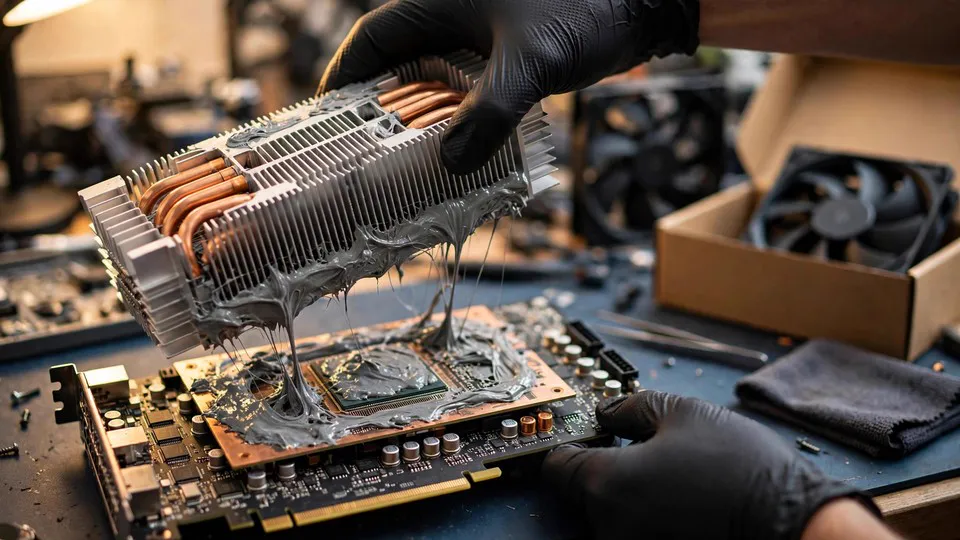
The third job is replacing the whole cooler: removing the entire original heatsink assembly and fitting a third-party air cooler or a water block in its place.
This guide is about the second and third jobs. The first job appears here only as a point of separation, so that a reader looking for a fan replacement does not follow the wrong decision tree.
How a Stock Cooler Works: One Assembly, Three Heat Sources
A stock cooler is not only a device for cooling the GPU core. It is an assembly designed around three heat sources at once.
The main fin stack and heat pipes carry heat away from the GPU core. The same base plate, fin structure or attached secondary heatsinks also carry heat away from the video memory (VRAM) and from the voltage regulation module (VRM) — the MOSFETs, inductors and capacitors that step 12 V down to the lower voltages and higher currents the core and the memory need. MOSFETs generate heat from switching losses and conduction losses while they work, and if no airflow passes over the VRM area, or if the thermal pads make poor contact, sustained high temperature accelerates ageing across the whole power-delivery stage.
That shared design is the key to understanding why a modification can look successful on one reading and fail on another. A cooler that is judged only by core temperature is being judged by one of its three jobs.
Why a Deshroud Mod Can Make VRAM and VRM Hotter
The most common misjudgement after a deshroud mod is to treat a lower core temperature as proof that the modification worked. Case fans blowing directly onto the fin stack often do bring core temperature down. That reading is real, but it is incomplete.
The original fans were part of a directed airflow path designed for the whole card. Air did not only pass through the fins; it also swept across the memory chips and the VRM area. Once the shroud is removed, that directed path is gone and the airflow spreads out. The memory and VRM lose the airflow that was aimed at them, even while the core is being cooled more effectively.
The result can be a split picture: a lower core temperature alongside a higher memory junction temperature and a higher VRM temperature. A reader who checks only the core will miss exactly the part of the card that has become worse. The three readings — core temperature, memory junction temperature and hotspot temperature — have to be compared together, before and after the modification, before any conclusion is drawn. The separate guides on memory junction temperature and on the gap between core and hotspot temperature explain how to read those figures; this guide uses them as the comparison, and does not repeat that material.
Aftermarket Coolers: Compatibility Is About the PCB, Not the GPU Name
A third-party cooler that is listed as supporting a particular GPU model is not automatically compatible with every card carrying that GPU name. Cards with the same GPU chip from different manufacturers, or different versions from the same manufacturer, can have different PCB shapes, different mounting-hole positions, different component layouts and different power-connector positions.
A third-party cooler's compatibility list is written against specific PCB layouts, not against GPU names. Before buying, the card to check against is the exact card in hand: the full model name and the PCB version, found on the card label, in GPU-Z, on the manufacturer's support page or on the purchase invoice. The mounting-hole spacing, the memory and VRM layout, the cooler height and how many slots it occupies, and whether it will still fit in the first PCIe slot all have to be checked against that specific layout.
A replacement cooler that has only a large central fin stack and no auxiliary heatsinks for the memory and VRM can leave the card in a fragile state even when the core temperature looks normal. The core is cooled; the memory and the power-delivery parts are not receiving the cooling they need. That is the same failure mode as a deshroud mod, reached by a different route.
Thermal Pads: Thickness Decides Contact
Replacing a cooler usually means replacing the thermal pads as well, and here the decisive factor is thickness and contact, not the thermal conductivity figure printed on the packet.
A pad with a high conductivity rating is useless if it is too thick and lifts the heatsink away from the GPU core. Poor contact can cause clock speeds to drop before any obvious overheating is visible, because the heatsink is not making the contact it needs to make.
The check is to measure the thickness, inspect the compression marks left on the pads, and confirm that the heatsink makes contact with every memory chip. No universal thickness figure is given here, because the correct thickness differs from card to card. The reference is the thickness of the original pads on that card, or the specification given by the cooler manufacturer for that card.
Fan Control Mismatch: Case Fans Do Not Follow GPU Temperature
The original fans are driven by the graphics card's own fan controller, and their speed follows a curve tied to GPU temperature. Case fans strapped onto a deshrouded card do not work that way.
A case fan connected to a motherboard 3-pin or 4-pin header, or connected directly to the power supply, follows the motherboard or CPU temperature, or runs at a fixed voltage. It does not follow GPU temperature. That mismatch produces two opposite effects. When load rises, the GPU heats up but the case fan has not yet sped up, so the memory and VRM temperatures rise first. When the system is idle, the case fan keeps spinning at the same speed, producing noise and wear without any cooling benefit.
Some third-party coolers come with fans that can be connected back to the graphics card's fan header, but the connector pin definition has to be matched; not every 4-pin connector is wired the same way, and compatibility cannot be assumed. How a fan curve is set is covered in the separate fan-curve guide and is not repeated here.
| Modification | What is changed | What is most often overlooked |
|---|---|---|
| Fan-only replacement | Fan unit and frame only; heatsink, fins and backplate stay | Whether the replacement fan matches the original airflow and connector |
| Deshroud mod | Shroud and original fans removed; case fans strapped to the fins | Directed airflow over VRAM and VRM is lost; core temperature alone looks better |
| Full aftermarket cooler or water block | Whole stock heatsink removed and replaced | PCB-layout compatibility, memory and VRM cooling, thermal pad thickness and contact |
| Water block only | Core cooled by water; memory and VRM need separate heatsinks and airflow | A water block does not cool the whole card; VRAM and VRM still need their own cooling |
Water Cooling and Backplates: The Same Rule Applies
Fitting a water block follows the same logic. A water block cools the core; it does not cool the whole card. The memory and VRM still need heatsinks of their own and airflow over them. Fitting a water block is not the same as making the entire card run cooler, and the separate guides on water-cooling leaks cover the leak risk, which is not repeated here.
Some third-party coolers come with a backplate heatsink, whose job is to carry heat away from memory and VRM parts on the back of the PCB. Having no backplate heatsink does not mean the card will fail immediately, but it is one of the things to count in the assessment before modifying. The backplate itself is covered in its own guide and is only mentioned here as part of that assessment.
Diagnosis After a Modification: Follow the Decision Tree in Order
If problems appear after a modification, work through the steps in this order rather than treating them as a loose list of things to try.
1. Compare all three readings before and after the modification. Core temperature, memory junction temperature and hotspot temperature, taken under the same load. If the core looks good while the memory junction or hotspot readings are worse, the problem points to incomplete cooling coverage, not to insufficient core cooling. The reading method is covered in the separate guides on GPU-Z and HWiNFO and on core-to-hotspot temperature differences.
2. Check whether the fault appears under load but not at idle. A fault that appears only under load points to insufficient VRAM or VRM cooling, or to fan-control mismatch. As a comparison, set the case fans to full speed manually and run the same load again. If the symptoms ease, fan control or airflow is a suspect. If nothing changes, the contact or the coverage of the heatsink is a suspect.
3. If there is a black screen or artifacts from the moment the system is switched on, do not assume the modification damaged the core. First check whether the heatsink mounting pressure is pressing on surrounding components, whether a screw has been overtightened and bent the PCB, and whether a power connector has come loose. The modification process itself — removing and refitting parts — is a trigger event, so treat the diagnosis as a "fault after a part was changed" case: restore one thing at a time and compare. PCB sag and bending, and hidden PCB fractures, are covered in their own guides and are mentioned here only as the boundary of this diagnosis.
4. Refit the original cooler as a comparison. If the symptoms disappear with the original cooler back in place, the problem is locked to the modification part or its installation. If the symptoms remain, the problem may be damage caused during the modification process — for example a scratch during removal, static discharge, or a stripped screw — and the card should be sent for inspection rather than taken apart again.
Warranty: Check Before Modifying
Removing the shroud or replacing the cooler will usually void the manufacturer's warranty, and a broken tamper-evident sticker is a common basis for that decision. Warranty terms differ between manufacturers, so no brand's warranty policy is described in detail here. The principle is to check the warranty terms for the specific card before modifying it.
Do not present a modified card as unmodified when seeking warranty service. Tamper stickers, screw marks and a non-original cooler are evidence the manufacturer will look at, and hiding a modification is not a step this guide will teach.
The workshop's own repair warranty is a separate matter: inspection and repair work carries a 90-day warranty, covered in the separate guide on repair warranty terms.
Buying a Second-Hand Card That Has Already Been Modified
A second-hand card fitted with a non-original cooler should be treated as a risk signal. It may be a modification made by the previous owner, or it may be covering another problem. The inspection checklist for a second-hand card is covered in its own guide and is not repeated here; the point here is that a non-original cooler is a reason to inspect more carefully, not a reason to assume the card is better cooled.
Common Misconceptions
"Core temperature dropped, so the modification worked." Wrong. Memory and VRM temperatures are the readings most easily overlooked after a modification, and they are the ones most likely to have become worse.
"Bigger fans, or more fans, mean a cooler card." Wrong. Airflow direction and coverage matter more than fan size or fan count. A large fan with no directed airflow can fail to reach the VRM at all.
"A third-party cooler that lists my GPU is guaranteed to fit." Wrong. Compatibility is decided by the PCB layout, not by the GPU name.
"A higher thermal conductivity rating on the pads is always better." Wrong. Thickness and contact decide whether the pad works at all; a pad that is too thick lifts the heatsink off the core.
"A case fan connected to the motherboard can follow GPU temperature just the same." Wrong. A motherboard header does not know the GPU temperature. Only a connection or a controller that follows the GPU curve can do that.
"If the modification breaks the card, I can still claim warranty as if it were unmodified." Wrong. Modification traces — tamper stickers, screw marks, a non-original cooler — are part of how a warranty claim is judged.
"A deshroud is just removing a few screws, so it is simple." Wrong. Removal and refitting carry risks of static discharge, scratches, a bent PCB and a torn fan cable. It is not a zero-risk routine step.
What This Guide Does Not Cover
Replacing only the thermal paste or the thermal pads, without changing the cooler structure, is not this guide's subject; paste replacement and pad replacement each have their own guides. Replacing only the fan is likewise a separate subject, covered in the fan-replacement guides. This guide stays with the whole-cooler modification: the deshroud and the aftermarket cooler swap, and the VRAM, VRM, fan-control and warranty consequences that follow from them.
When to Seek Inspection
Seek professional inspection if the memory junction or hotspot readings stay worse after the modification, if a black screen or artifacts appear from power-on, if refitting the original cooler does not restore normal behaviour, or if there is any sign of physical damage from the modification process. Bring the card with the modification as it is, and note down what was changed, which readings were compared, and what the comparison showed. That record shortens the inspection considerably. Inspection fees follow the published three-tier structure of HK$400–2,800, with the actual quote given after inspection. The workshop is at Room 1209, Dali Plaza, Shek Mun, Sha Tin. Telephone 2186 8010, WhatsApp 6558 6806. There is no on-site service.
FAQ
Is a deshroud mod the same as replacing the fan?
No. Replacing the fan keeps the original heatsink, fins and backplate and changes only the rotating unit. A deshroud removes the shroud and the original fans and straps case fans onto the exposed fins, which also removes the directed airflow path over the memory and VRM.
Why did my core temperature drop but my card still has problems after a deshroud?
Because core temperature is only one of three readings. The original fans also cooled the memory and the VRM. After a deshroud, the core can run cooler while the memory junction and VRM temperatures rise. Compare all three readings before and after the modification.
Will any third-party cooler that lists my GPU model fit my card?
Not necessarily. Compatibility is decided by the PCB layout — mounting-hole positions, component layout and connector positions — not by the GPU name. Check the full model name and PCB version against the cooler's compatibility list for that specific layout.
Does a higher thermal conductivity rating mean a better thermal pad?
No. Thickness and contact decide whether a pad works. A pad that is too thick can lift the heatsink away from the GPU core, so the correct thickness is the original pad thickness for that card or the thickness specified by the cooler manufacturer.
Why don't my case fans speed up when the GPU gets hot?
Because case fans connected to the motherboard or the power supply follow motherboard or CPU temperature, or a fixed voltage. They do not follow GPU temperature. Only fans driven by the card's own fan controller, or a controller set to follow the GPU curve, respond to GPU temperature.
Does a water block cool the whole graphics card?
No. A water block cools the core. The memory and VRM still need their own heatsinks and airflow. Fitting a water block does not mean the entire card runs cooler.
Will removing the shroud or changing the cooler affect my warranty?
In most cases, yes. Removing the shroud or replacing the cooler will usually void the manufacturer's warranty, and a broken tamper-evident sticker is a common basis for that decision. Check the warranty terms for the specific card before modifying it, because terms differ between manufacturers.
What should I do if the card shows a black screen immediately after a modification?
Check the heatsink mounting pressure, whether a screw has been overtightened and bent the PCB, and whether a power connector has come loose. Then refit the original cooler as a comparison. If the symptoms remain, send the card for inspection rather than taking it apart again.